PHP storm 配置 XDebug#
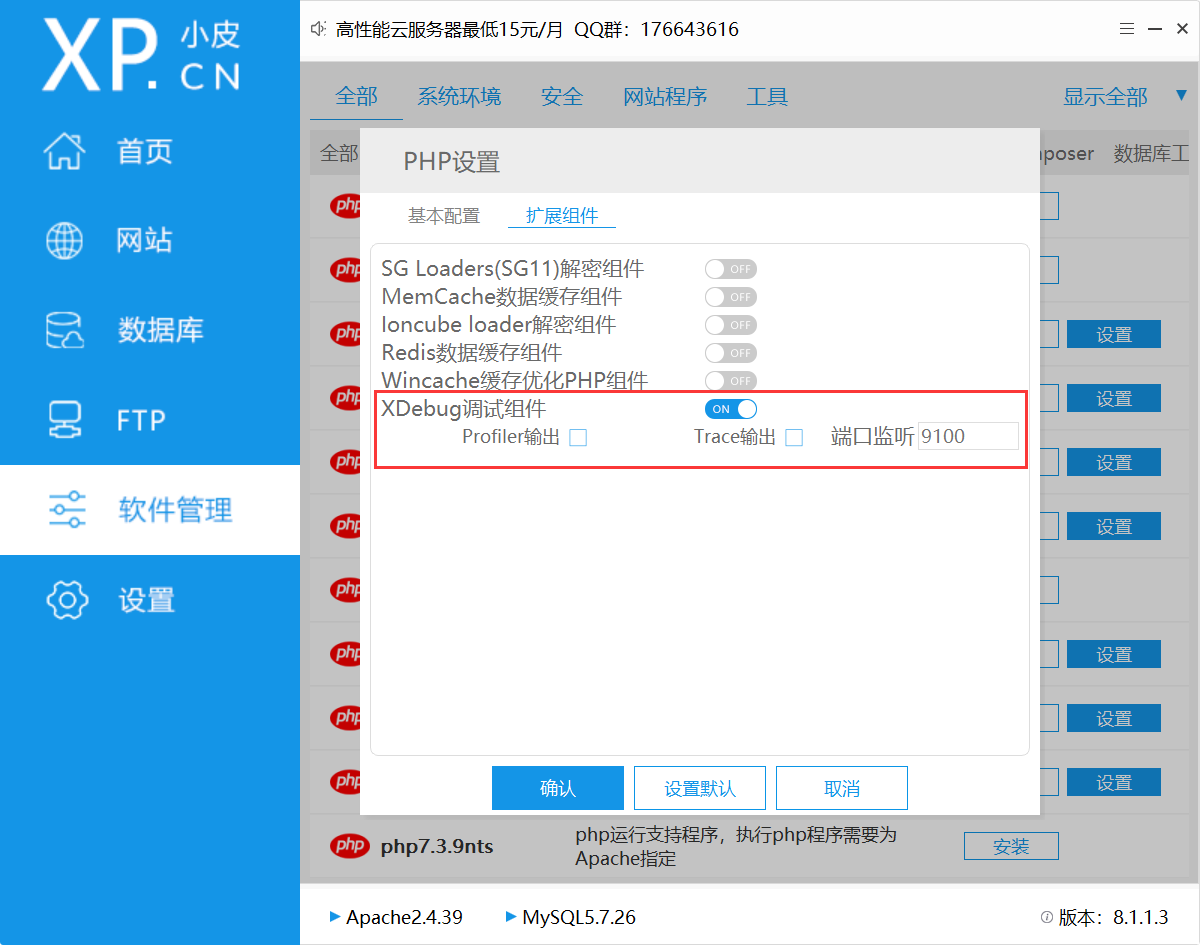
在小皮面板找到对应版本,打开XDebug组件
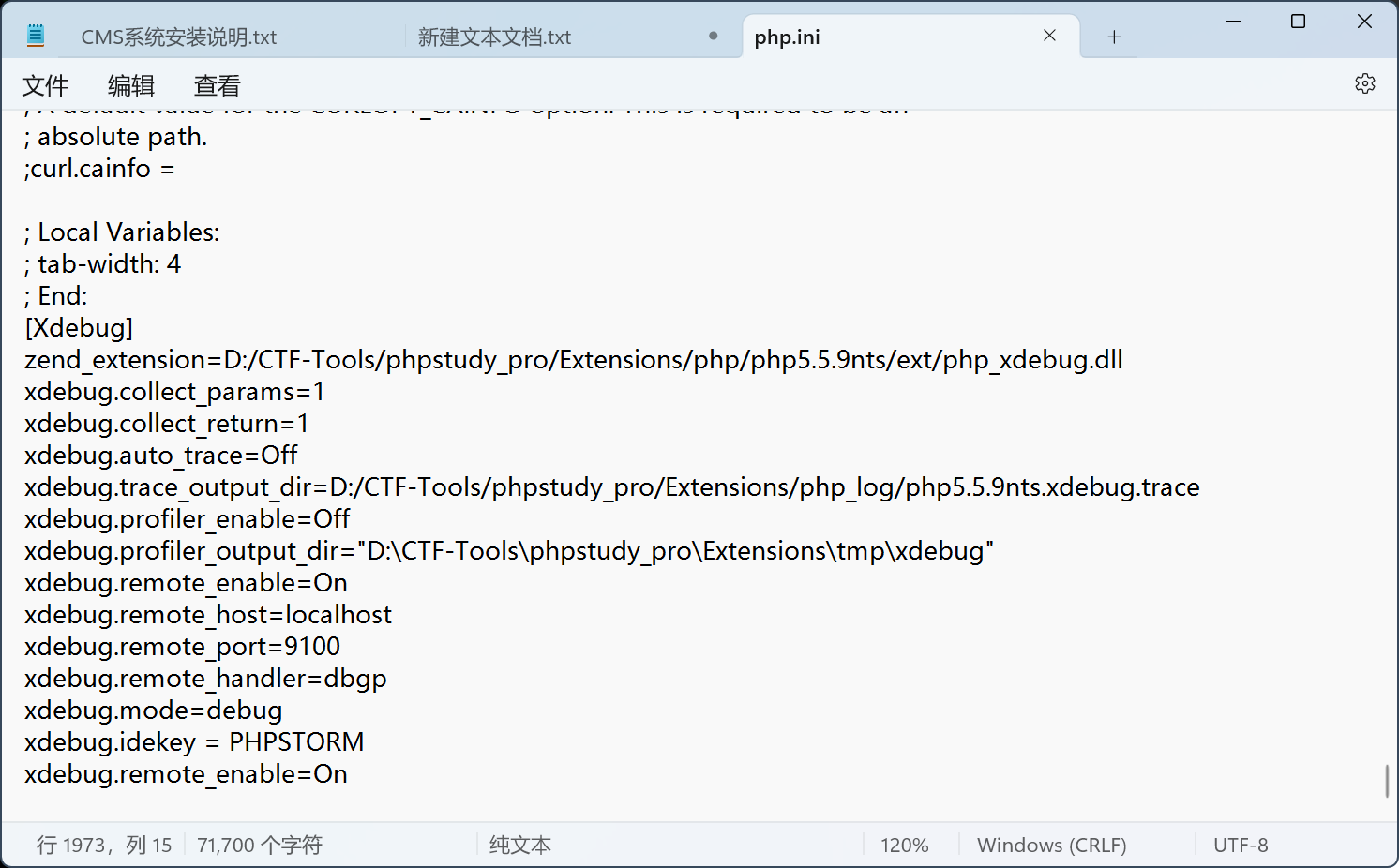
php.ini配置:(配置完成后重启服务)
 1
 2
 3
 4
 5
 6
 7
 8
 9
10
11
12
13
14
15
| [Xdebug]
zend_extension=D:/CTF-Tools/phpstudy_pro/Extensions/php/php5.5.9nts/ext/php_xdebug.dll
xdebug.collect_params=1
xdebug.collect_return=1
xdebug.auto_trace=Off
xdebug.trace_output_dir=D:/CTF-Tools/phpstudy_pro/Extensions/php_log/php5.5.9nts.xdebug.trace
xdebug.profiler_enable=Off
xdebug.profiler_output_dir="D:\CTF-Tools\phpstudy_pro\Extensions\tmp\xdebug"
xdebug.remote_enable=On
xdebug.remote_host=localhost
xdebug.remote_port=9100
xdebug.remote_handler=dbgp
xdebug.mode=debug
xdebug.idekey = PHPSTORM
xdebug.remote_enable=On
|
接下来打开PHP storm设置:
->PHP>调试>DBGp代理
IDE 键:PHPSTORM xdebug.idekey = PHPSTORM
主机:localhost xdebug.remote_host=localhost
端口:9001 xdebug.remote_port=9100
将端口对应 xdebug.remote_port=9100 php.ini 配置为 9100
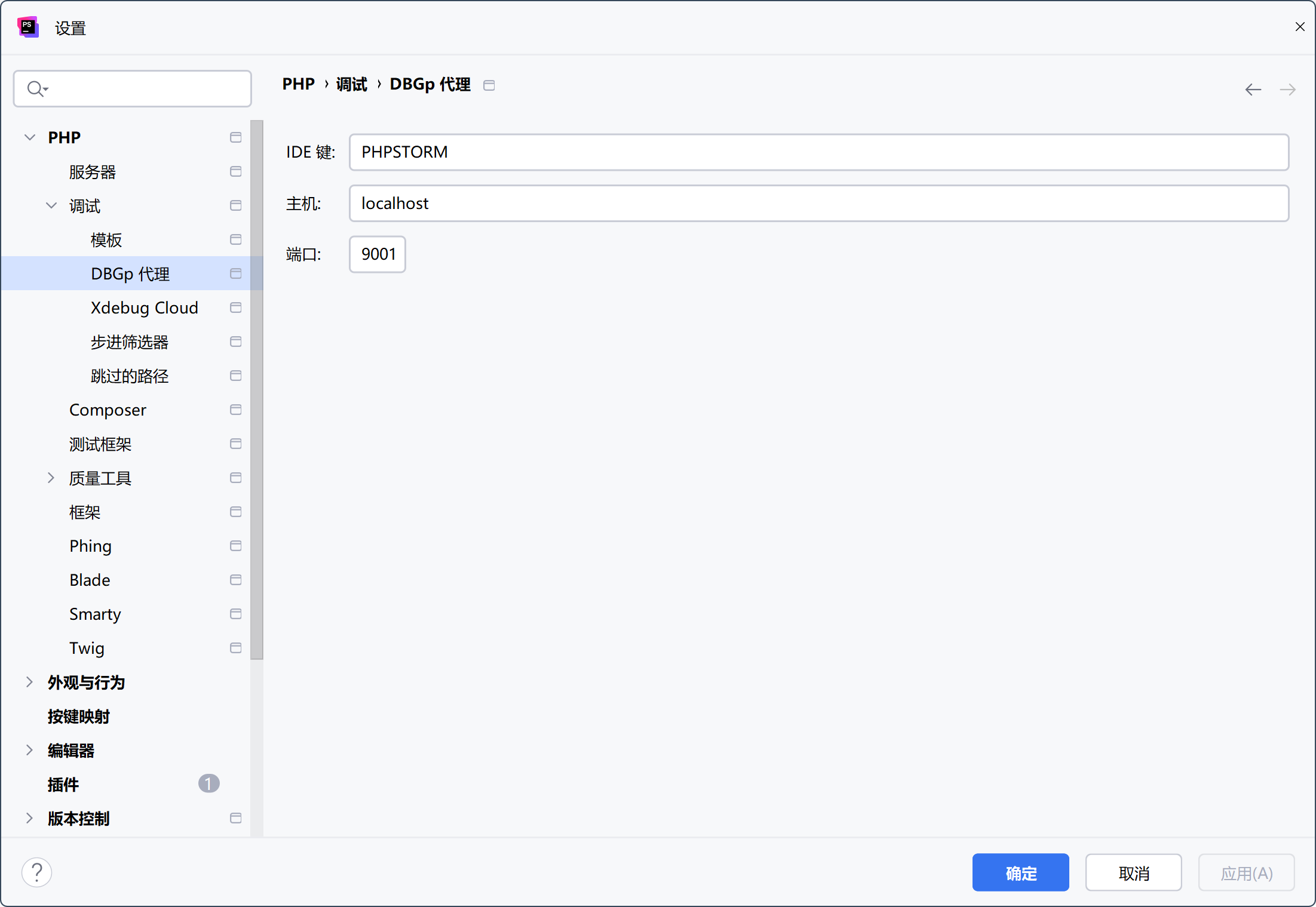
->PHP>服务器
名称:yccms (随意)
主机:localhost xdebug.remote_host=localhost
端口:80 (保持默认 80 即可)
调试器:Xdebug
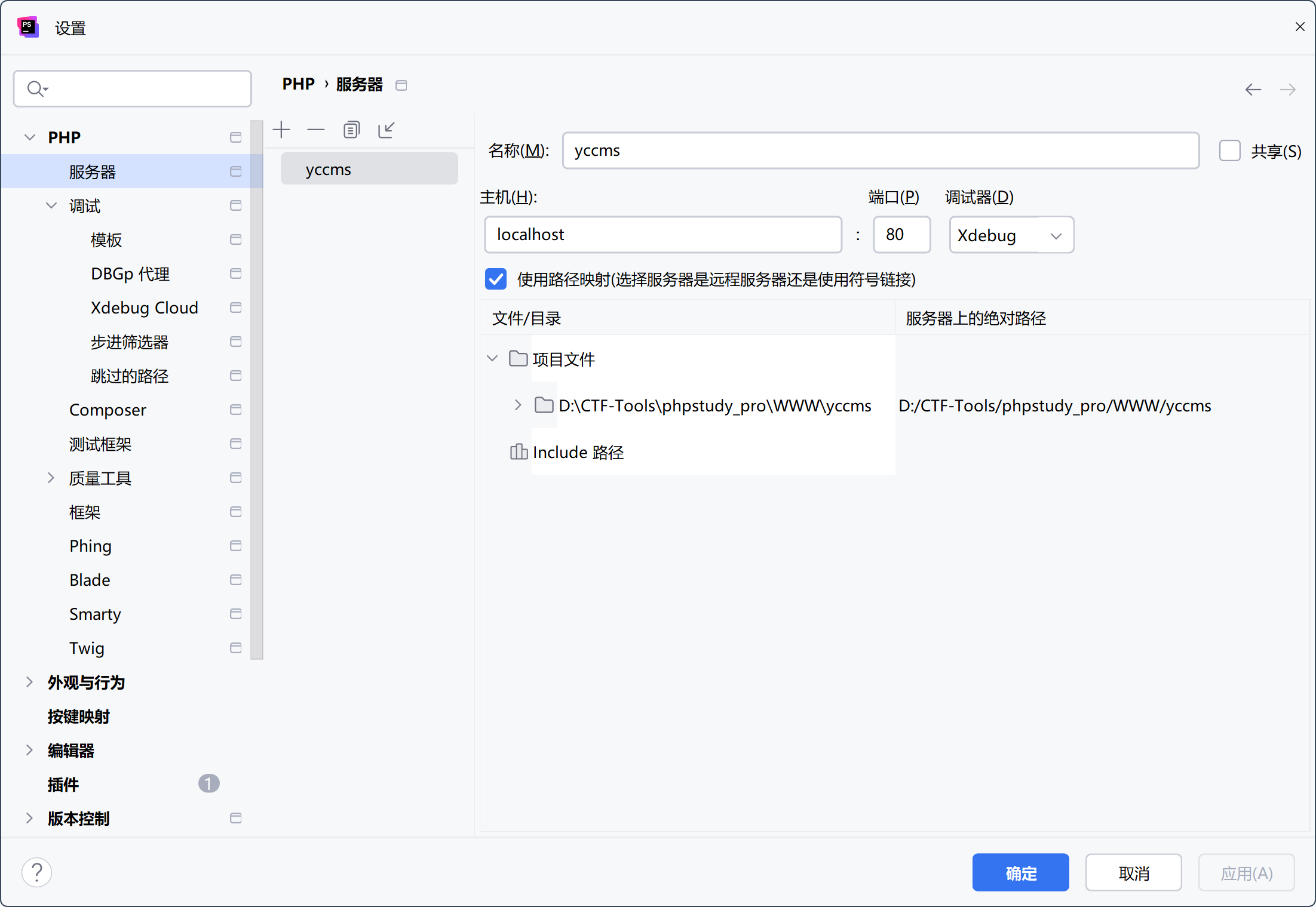
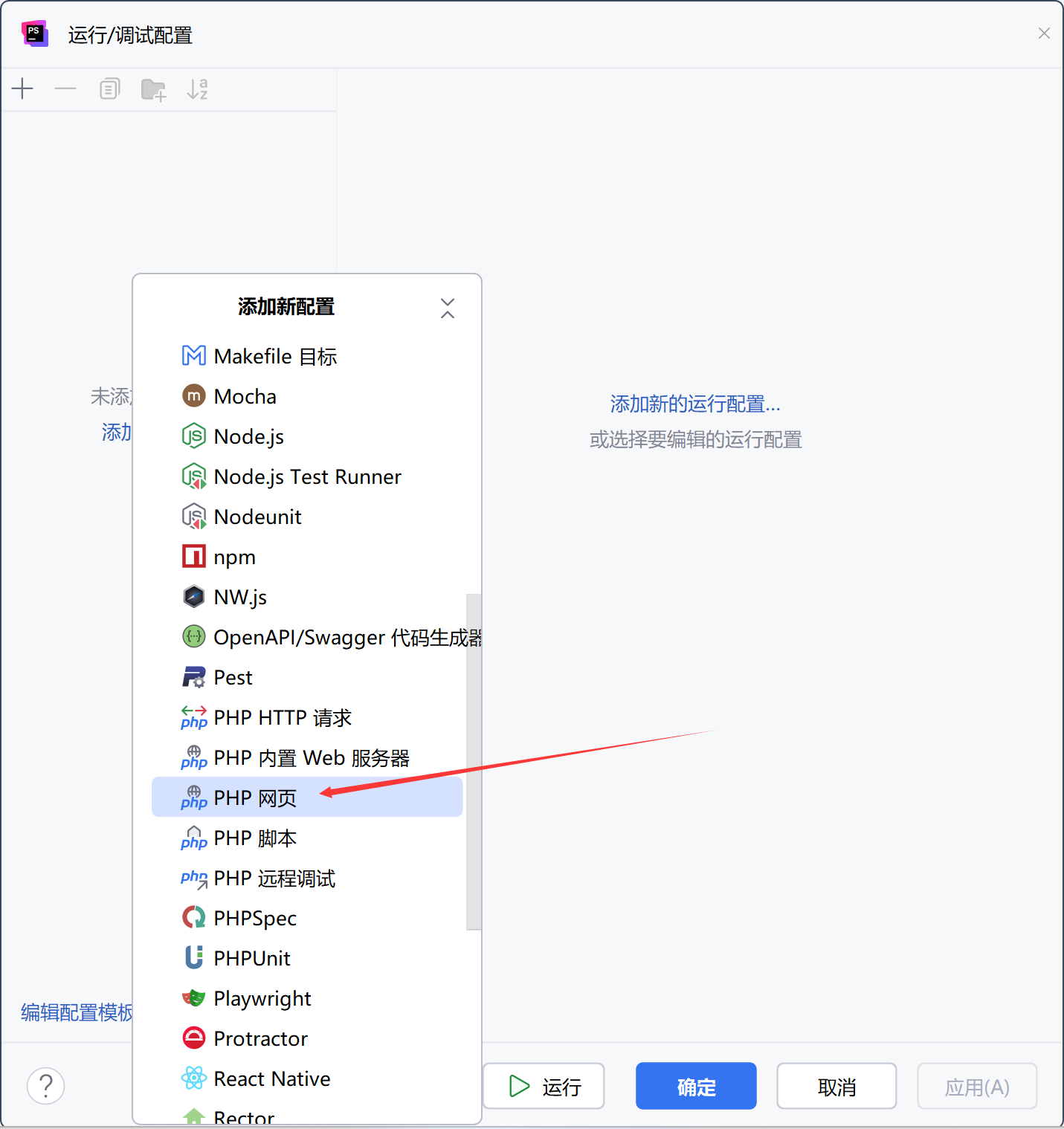
运行一个新的 PHP web 配置
服务器:yccms (选择上一步配置好的服务器)
起始URL: http://localhost:7676 (此处的端口对应上 xp 搭建网站时的端口)
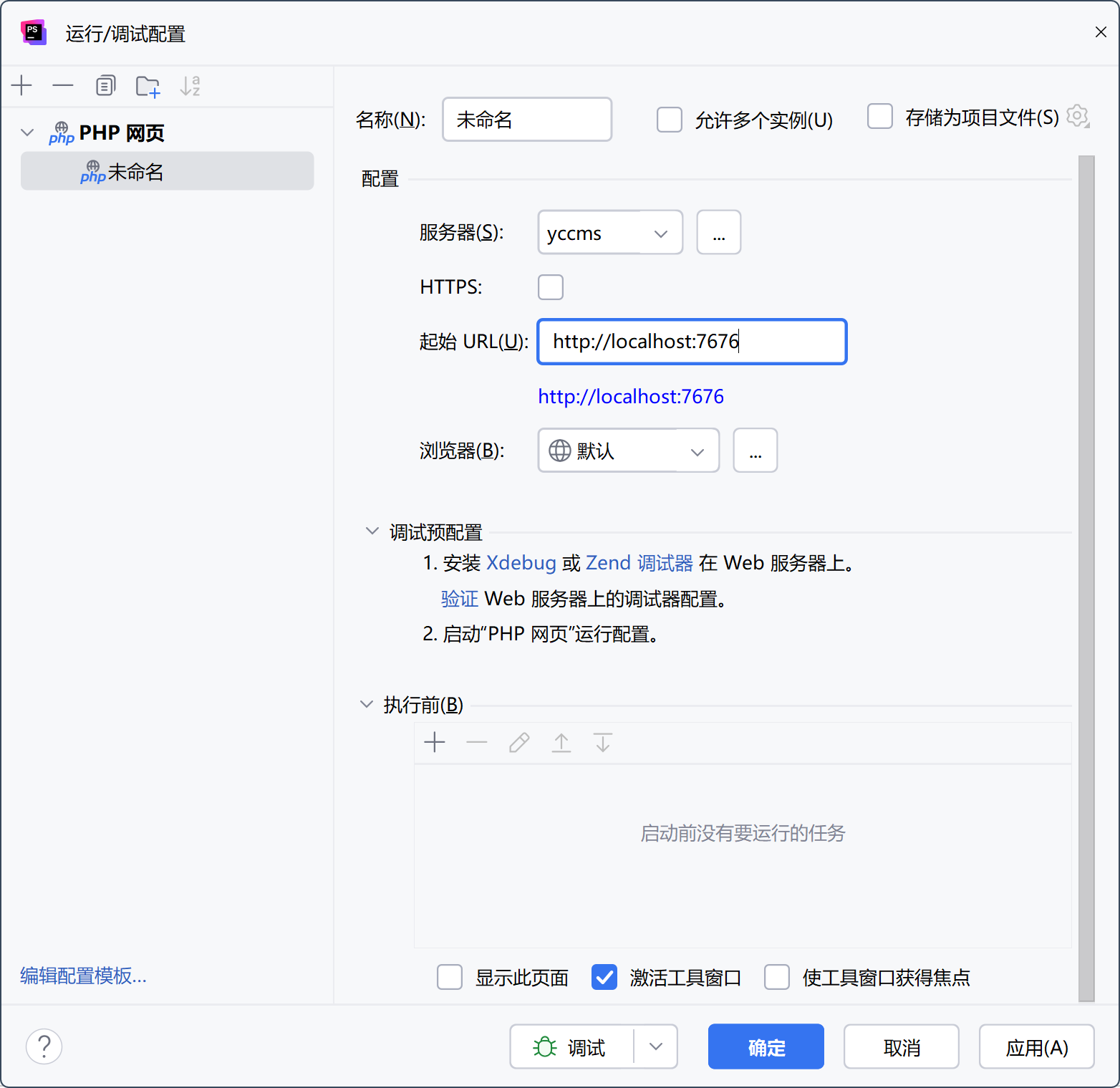
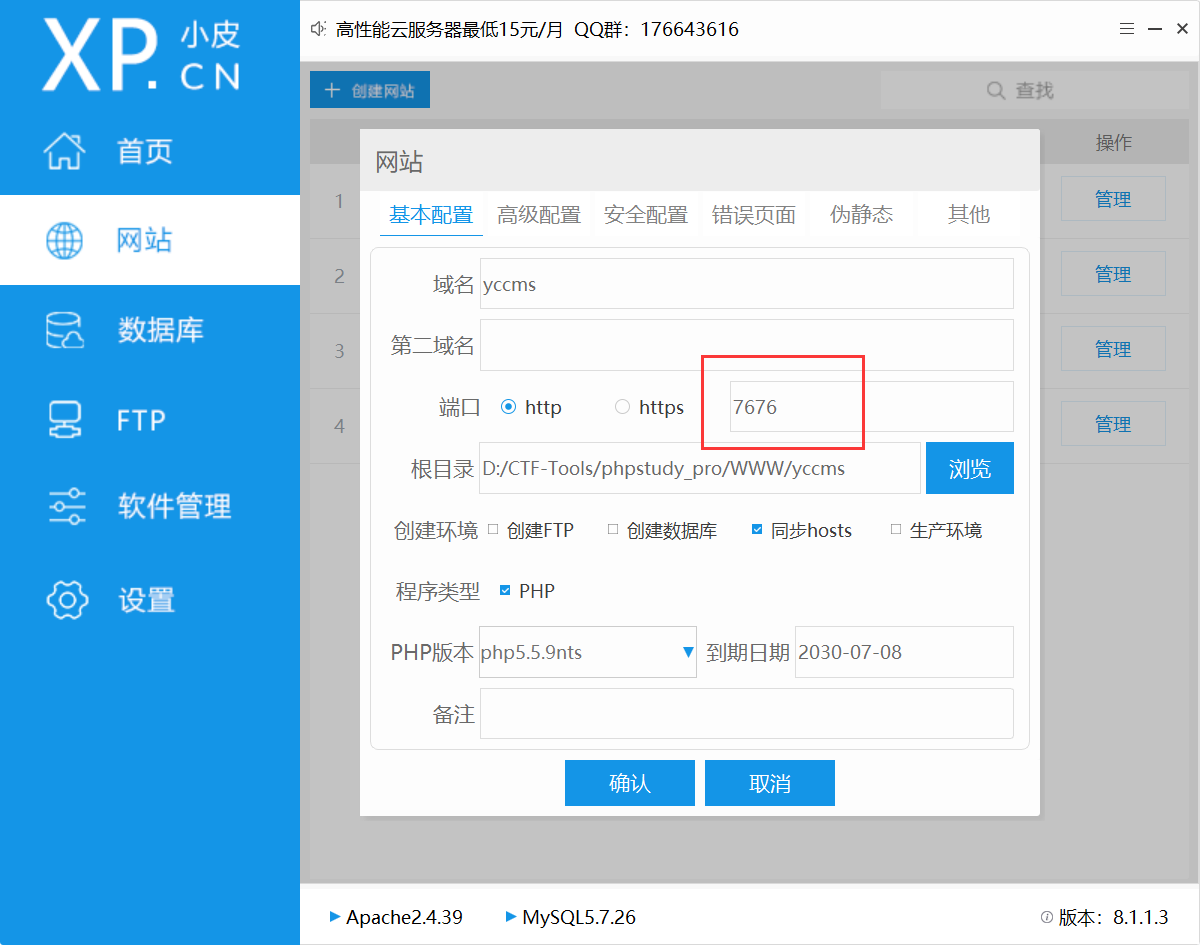
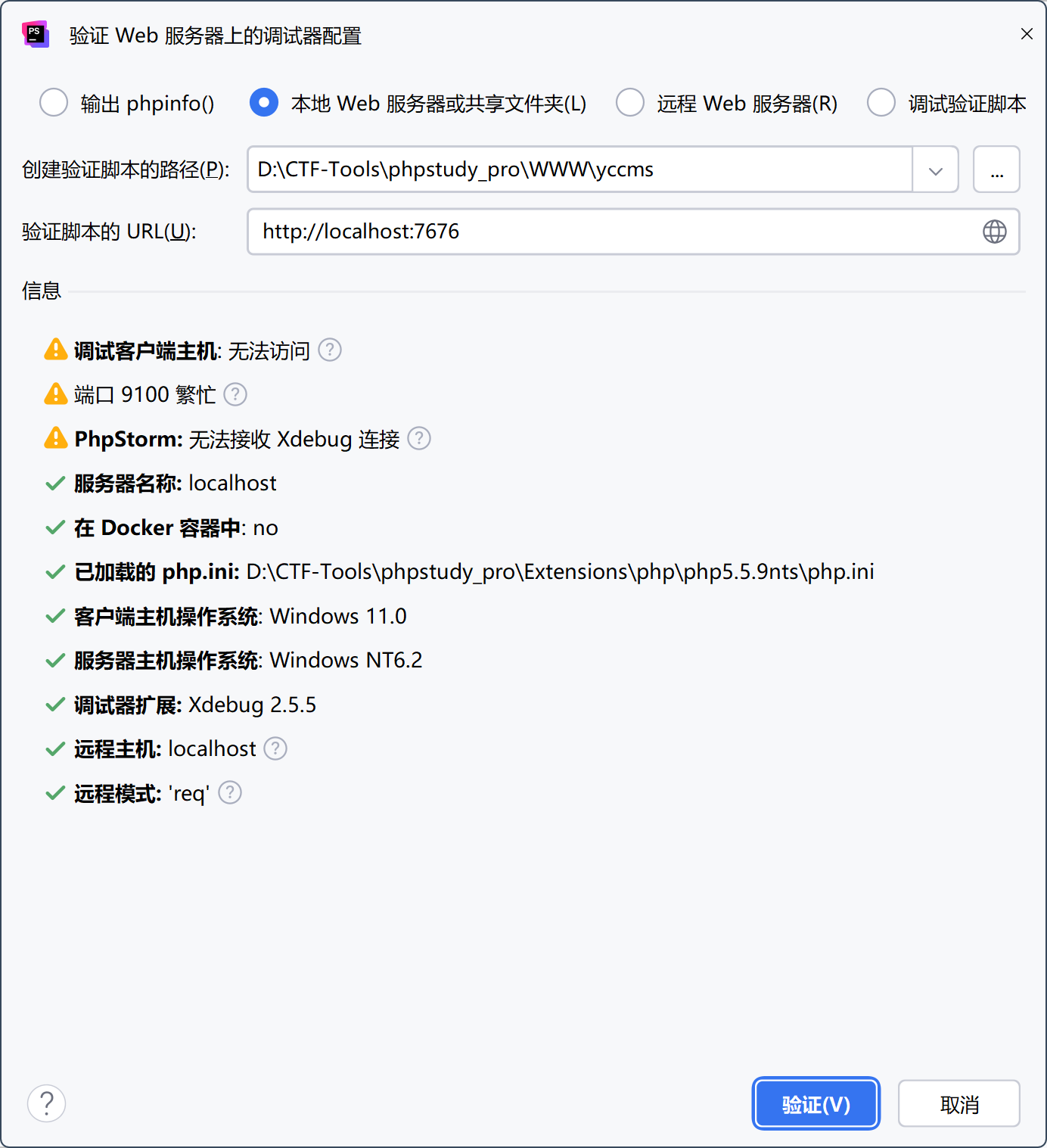
验证一下:
除了下面的三个黄标,其他没有问题就可以正常使用调试了